

AgentGrid
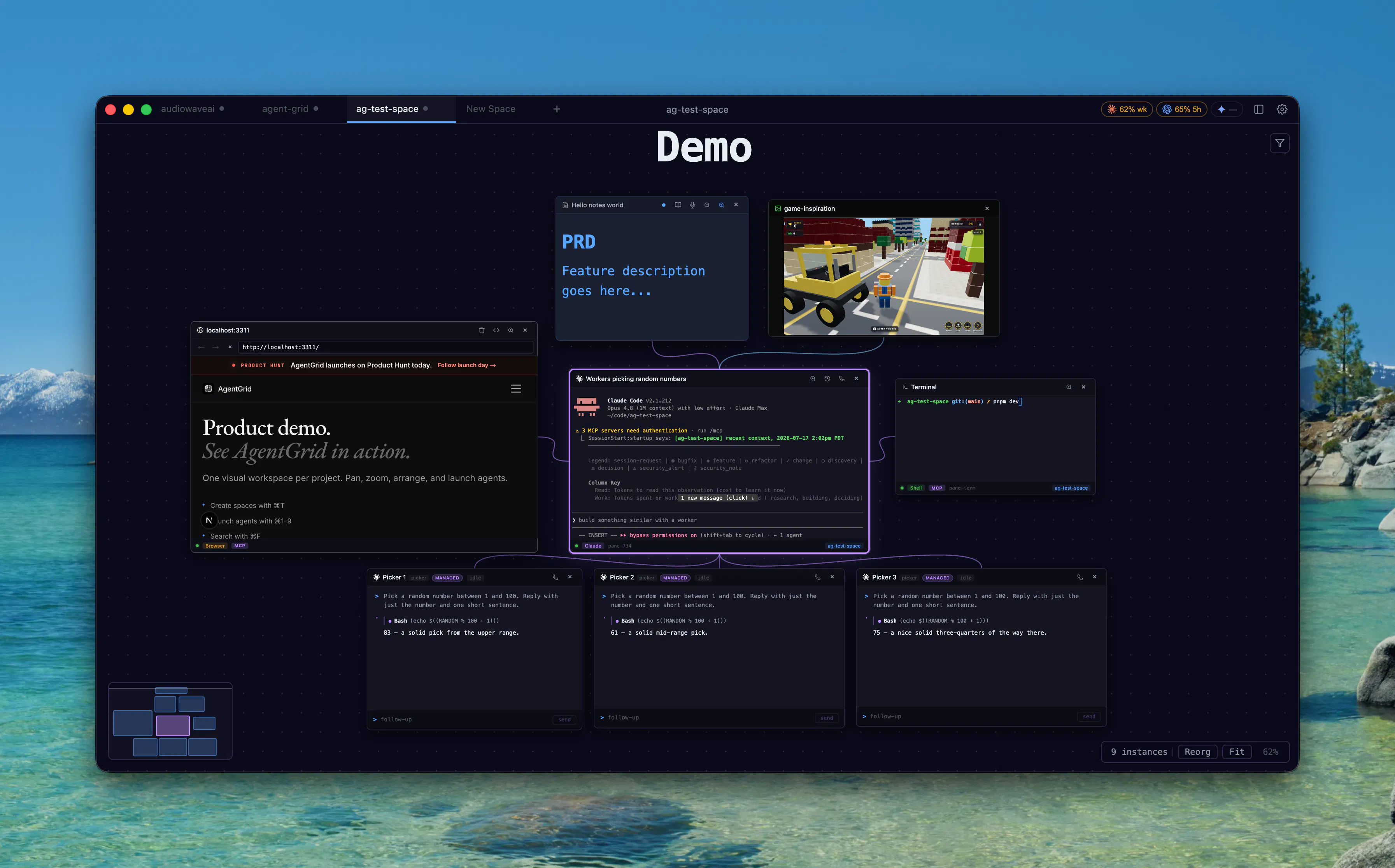
Your AI agents team, terminals, notes: one infinite canvas
About AgentGrid
Reviews 15
-
Floyd Botsford 4 months ago
one canvas for all your agents is realy usefull, managing a swarm is such a mess rn 🔥 congrats!!
-
Zachariah Hudson 4 months ago
Very cool! Love how easy it is to see the relationship between agents.
-
Adam West 4 months ago
Such a neat launch. Congrats on AgentGrid and best of luck with everything ahead! 🙌
-
Jackson Fisher 4 months ago
Congrats on the launch! I love the idea of keeping notes and clear context about what is being worked on. I've been using Conductor and have so many workspaces running in parallel I find myself frequently rereading what's happening to remind myself. Hoping AgentGrid will help reduce that!
-
Jaylon Deckow 4 months ago
@Souren Khetcho that supervisor framing is a genuinely different UX problem than the employee one though - a supervisor needs to know when to interrupt you versus when to just log something quietly for later. has that cross-canvas awareness actually changed how proactively the agents surface things, or is it still you pulling status by checking each canvas?
-
Adam Zemlak 4 months ago
Team this is awesome, congrats on the launch!
-
Johnpaul Crona 4 months ago
The restart-anxiety story is very relatable, that's the actual reason most people give up on managing multiple agents. Curious about the depth of that persistence though - when you reopen the canvas, does it just restore the pane layout and terminal history, or does it actually resume an in-flight agent task that was mid-tool-call when the restart happened?
-
Dejon Bergstrom 4 months ago
very nice - our users love it. you’re clearly onto something. agentic coding requires different tools and AgentGrid is it!!
-
Demetrius Gulgowski 4 months ago
Such a cool idea, congrats on the launch Michael! 💯
-
Mckenzie Mosciski 4 months ago
Incredible product mate.
-
Enrico Wiza 4 months ago
Huge fan. I’ve been using it for the last month and a half - completely swapped out my use of an IDE. I went from Cursor, to Zed, now using canvas based Claude code/codex sessions in Agent Grid and really loving it. As a product designer turned design engineer/builder - it’s really working for my spatial memory re: managing the various agent threads I’ve got running across various products. Maybe the best part? You can close it, and all your workspaces and the sessions/nodes are right where you left them. Can’t tell you how much anxiety I had of my IDE crashing and losing all the tabs/terminals I had open. 🤣 Excited to see where Michael and Souren take this.
-
Buck Yundt 4 months ago
This makes too much sense. Too much work happening for it to just be in a linear thread!
-
Mortimer Powlowski 4 months ago
@Michael Yagudaev that "suck having to go back to single terminal session" bit resonates, once you've had parallel context it's hard to go back to one linear thread of thought. @Souren Khetcho the bash-hunt-for-info framing helps too, sounds less like separate agents and more like one team with shared eyes on the same canvas. does the shared context layer show which agent found what, or does it get flattened once it's fed back in?
-
Joaquin Wisozk 4 months ago
Great launch. A lovely UI. I'm so excited to try this out What's the maximum number of agents you've seen something running in parallel? Do you have any resources for how we can start maximising our agent usage while not lowering the quality due to the human being the limiter?
-
Roy Kris 4 months ago
the infinite canvas framing for multiple agent terminals is a good fit for how messy multi-agent work actually looks in practice. when two agents on the same canvas need to reference each other's output (one's notes inform the other's next terminal command), is that a manual copy-paste between panes or is there some shared context layer connecting them