

APX Terminal
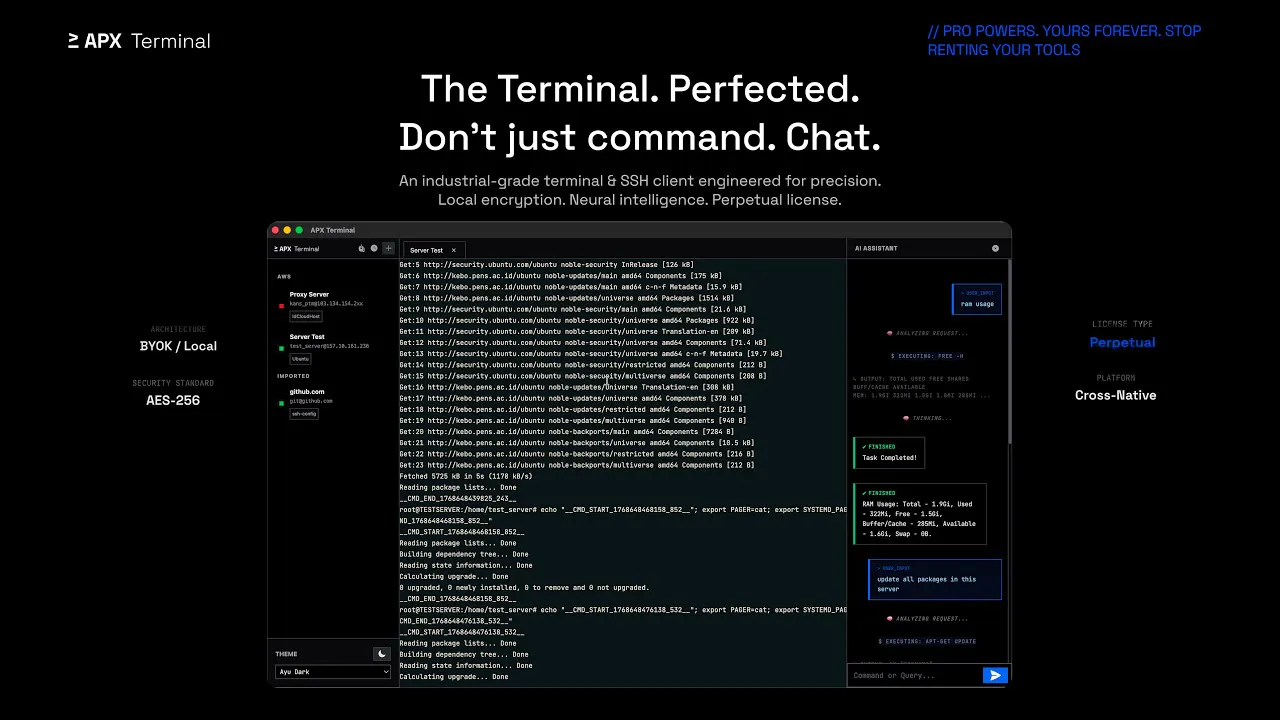
Encrypted terminal and SSH client with built‑in AI assistant
About APX Terminal
Reviews 8
-
Esteban Kilback 9 months ago
The design of encrypting SSH keys and AI conversations locally puts me completely at ease about privacy and security, allowing me to use the tool with no worries. I’d like to learn about the backup and recovery mechanism for this local encrypted vault; is it easy to migrate when reinstalling the operating system?
-
Adam West 9 months ago
Having a graphical user interface (GUI) guide for operations like port forwarding is far more intuitive than memorizing command parameters, especially for beginners. Does this visualized tunnel feature support advanced custom mapping rules to meet more complex development or debugging scenarios?
-
Franz Bauch 9 months ago
Using natural language to let the AI analyze logs or execute tasks truly eliminates the hassle of looking up commands, making it feel highly intuitive. However, when my requirements are described vaguely, how accurate is its comprehension? Could you provide an example of it successfully handling a complex task?
-
Garland Grady 9 months ago
The ability to broadcast and execute commands on multiple servers simultaneously is a total efficiency game-changer for daily maintenance, making cluster management far more convenient. When performing such batch operations, how does it clearly display and aggregate execution results to allow for quick verification that all hosts have completed the task successfully?
-
Malachi Armstrong 9 months ago
In real production incidents where does the context-aware AI save the most time compared to a normal terminal + copy-paste workflow?
-
Daren Bruen 9 months ago
The fact that the AI can actually read my logs and errors to give me context-aware advice is huge. I wonder if it can suggest specific fixes for complex deployment errors, or if it just explains what the error means in simpler terms.
-
Santa Cassin 9 months ago
Congrats on the launch, Yoga. Modern infra work has clearly outgrown the old terminal model, and treating the terminal as a real command center instead of just a shell makes a lot of sense. Excited to see how teams put this to work in real production environments.
-
Blaze Koepp 9 months ago
The context-aware AI reading the terminal buffer is the killer feature here. Copying error logs into a browser tab to debug has always felt broken. Curious about the BYOK setup - when switching between providers (say OpenAI for one task, DeepSeek for another), does it remember which model works best for different types of errors? Or is it manual switching each time?