

About CalChat
Reviews 4
-
Halle Wilkinson 9 months ago
The "dinner Friday at 7, then forget to add it" scenario is painfully familiar! I love that you focused on the friction of manual entry rather than just adding more calendar features. Being able to forward confirmation emails or text event details naturally is exactly how people already communicate. The ability to approve teammates or family to send events directly to your calendar is clever for shared scheduling. Does the AI handle ambiguous times well, like "morning coffee next Tuesday" or does it ask for clarification?
-
Buck Yundt 9 months ago
hi there! congrats on the launch! I really like your idea and the design you've created for CalChat I was curious, can CalChat just learn the types of events I visit, plan recurring events (like university classes every week) and mark them with the same colour? so does it actually support all the functions that a calendar app supports?
-
Monserrate VonRueden 9 months ago
What's up Product Hunt 🗓️ We built this because we were tired of the same frustrating cycle: get a text about dinner plans, mean to add it to the calendar, forget, then double-book ourselves. Or stare at a confirmation email and manually tap through 8 fields to create an event that already has all the information right there. CalChat fixes this. Just forward an email, send a text, or snap a photo of a flyer—the AI extracts the details and adds it to your calendar. No forms, no friction. We'd love to hear how you currently wrangle your calendar. What's the most annoying event you've had to manually enter? — Robert
-
Murray Kuhlman 9 months ago
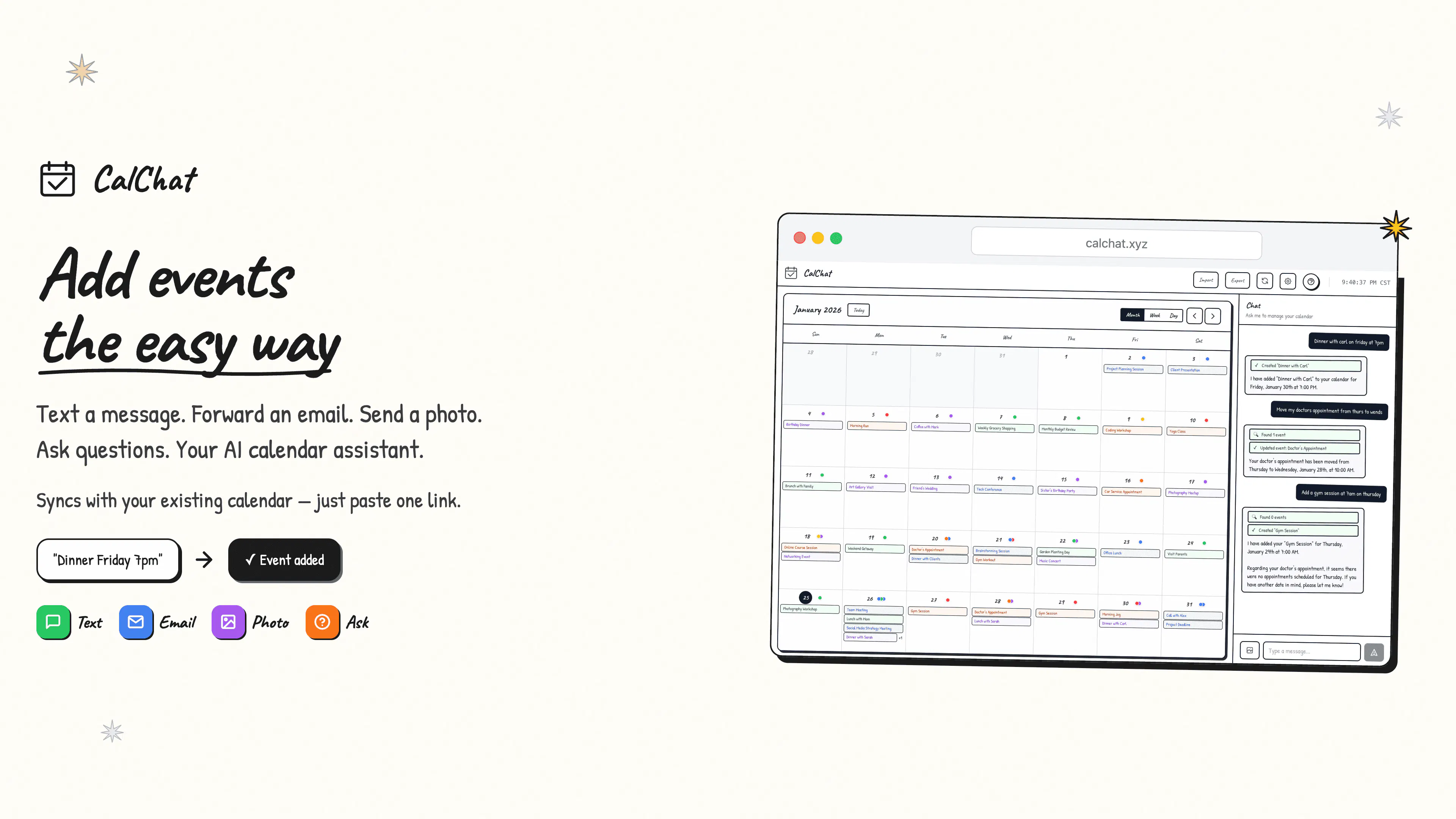
Why We Built CalChat The Problem Adding an event to your calendar should take seconds. Instead, it takes minutes. You get a confirmation email for a doctor's appointment. To add it to your calendar, you have to: open your calendar app, tap create, type the title, scroll to find the right date, set the start time, set the end time, add the location, maybe add a reminder, then save. That's a lot of tapping for information that was already written in the email. Or someone texts you “dinner Friday at 7?” and you reply “sure”—then forget to add it to your calendar because you were busy. Later, you double-book yourself. We've all been there. The friction of adding events means we either skip it entirely or spend way too much time on a simple task. The Idea What if you could just forward that confirmation email somewhere and the event would appear on your calendar? What if you could text “dinner Friday 7pm at Luigi's” and it would just... work? That's CalChat. We built an AI that understands natural language—the way you actually talk and write. It reads your emails, texts, and even photos of event flyers. It extracts the important details and creates a proper calendar event. No forms. No tapping through menus. Just send it and it's done. How It Works You get a personal CalChat email address and phone number. Forward emails to it. Text it. Send it photos of posters or invitations. The AI figures out what the event is, when it is, and where it is—then adds it to your calendar. You can also ask questions: “What do I have tomorrow?” or “Am I free Friday afternoon?” CalChat answers instantly. It syncs with your existing calendar—Google, Apple, Outlook—so you don't have to change how you view your schedule. Just paste one link and your CalChat events show up alongside everything else. Our Philosophy Calendars haven't changed much in decades. They're still digital versions of paper planners—you have to manually enter everything. We think that's backwards. Your calendar should be smart enough to understand “coffee with Alex next Tuesday.” It should be able to read a confirmation email and know what to do. It should work the way you think, not force you to think the way it works. That's what we're building. What's Next We're just getting started. We're constantly improving the AI to understand more complex requests, handle more languages, and make fewer mistakes. We're adding more integrations and more ways to interact with your calendar naturally. Our goal is simple: make managing your schedule effortless. If you have ideas or feedback, we'd love to hear from you at [email protected]. — Robert and Ty