
Skip to content
AiProductsHunt AiProductsHunt

DeNotch

Hide the MacBook notch and tame your menu bar

Visit website
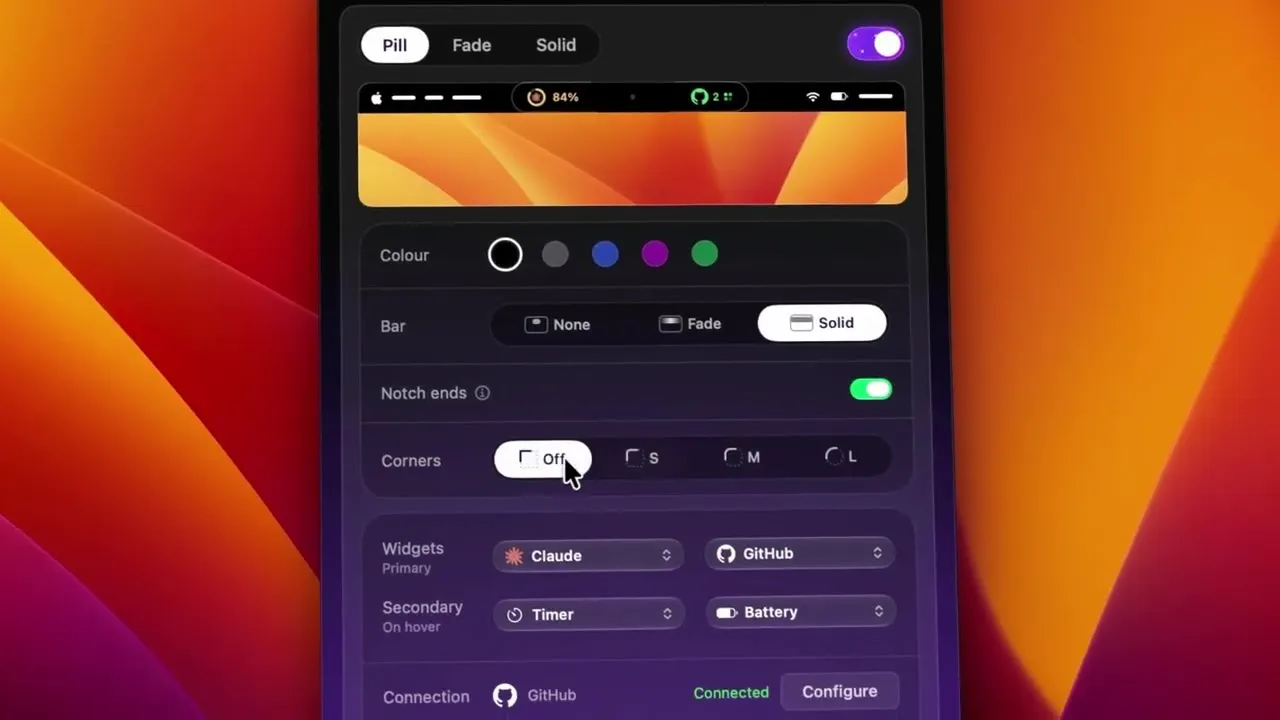
Screenshot of DeNotch

About DeNotch

DeNotch hides the MacBook notch behind a black bar that works on any wallpaper, dynamic and Aerial ones included, and never edits your files. It tidies your menu bar too: hide icons behind ⌄, put them where you want, and show apps only while they matter, like your VPN while it's connected. Beside the notch, a pill holds live widgets (CPU, battery, network, a timer, now playing, GitHub, AI usage limits) and a cat. Free during the beta, for macOS 26 and later.

Reviews 2

Your rating

Thanks! Your review is posted.

Sign in to rate and review DeNotch.

  • Former member 2 days ago

    Love the conditional icons idea — showing the VPN icon only while it's connected is how a menu bar should work. And the desk/road profiles with Shortcuts hooks are the part I'd actually use day to day. Do profiles switch on their own when I dock, or do I trigger them?

  • Conner Jacobs 2 days ago

    Hi, interesting idea. How does it work for apps that have lots of menu items?

Compare