

Gauth Unlimited Digital Canvas
An AI tutor on an infinite whiteboard, not a chat thread
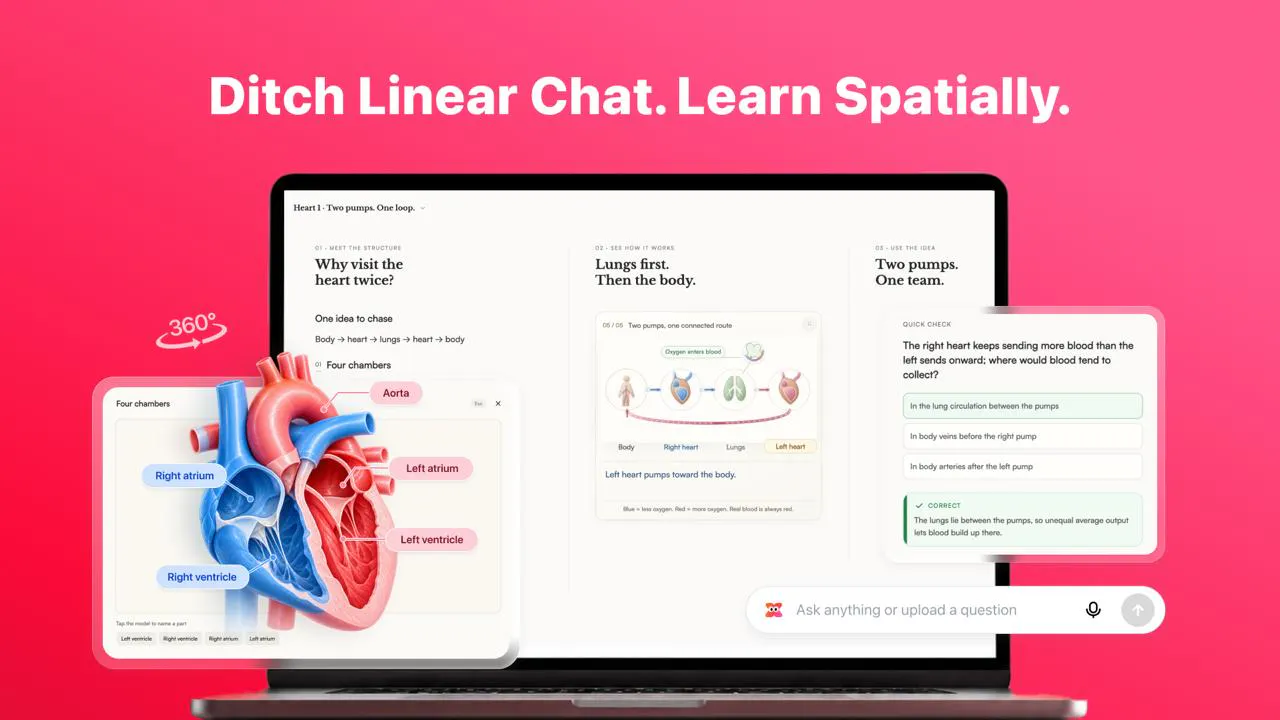
About Gauth Unlimited Digital Canvas
Reviews 15
-
Garnet Stokes 1 month ago
I have tried some of the Al tutors be- fore, and I find them to be long scrolls which I am unable to follow.but this Ai platform really good.
-
Jarrell Homenick 1 month ago
The interaction looks promising, but performance would make or break it for me. My study setup is usually a browser with too many tabs open on a laptop that is a few years old. A short demo with one board looks smooth; a real session might have diagrams, notes, and several follow-up questions spread across the canvas. How does it handle a large board on a mid-range laptop without the pan and zoom getting distracting?
-
Jackson Fisher 1 month ago
your canvas and pick up where you left off later
-
Randi Prohaska 1 month ago
The ability to ask about one specific part of a diagram is exactly what I want for physics homework.
-
Godfrey Donnelly 1 month ago
Congrats on the launch— really interesting concept for Ed tech— following for updates
-
Mckenzie Mosciski 1 month ago
Feels a bit like spreading notes across a big desk.
-
Joshua Abshire 1 month ago
How would this handle something like history or literature? The STEM example make sense, but those feel less obvious.
-
Ulises Ankunding 1 month ago
Can you jump between sections with a mini map? I get lost pretty quickly in big canvases.
-
Ulises Ankunding 1 month ago
Could have used this for AP physics yesterday lol. Does Apple pencil work on the board????
-
Franz Bauch 1 month ago
How well does it read a rough physics sketch, not a clean one?
-
Randi Prohaska 1 month ago
That tornado demo would be handy in class. Is there a full screen presentation mode?
-
Enrico Wiza 1 month ago
What happens when a new answer needs space that is already taken on the board?
-
Chelsey Gottlieb 1 month ago
I have tried some of the AI tutors before, and I find them to be long scrolls which I am unable to follow. Having the chapters displayed alongside each other on the board is sure to help me keep the big picture in mind.
-
Zachariah Hudson 1 month ago
Congrats to everyone who worked on this.
-
Johnathan Homenick 1 month ago
Nice use of a canvas for learning! Also, there is a repeated word in the draft