

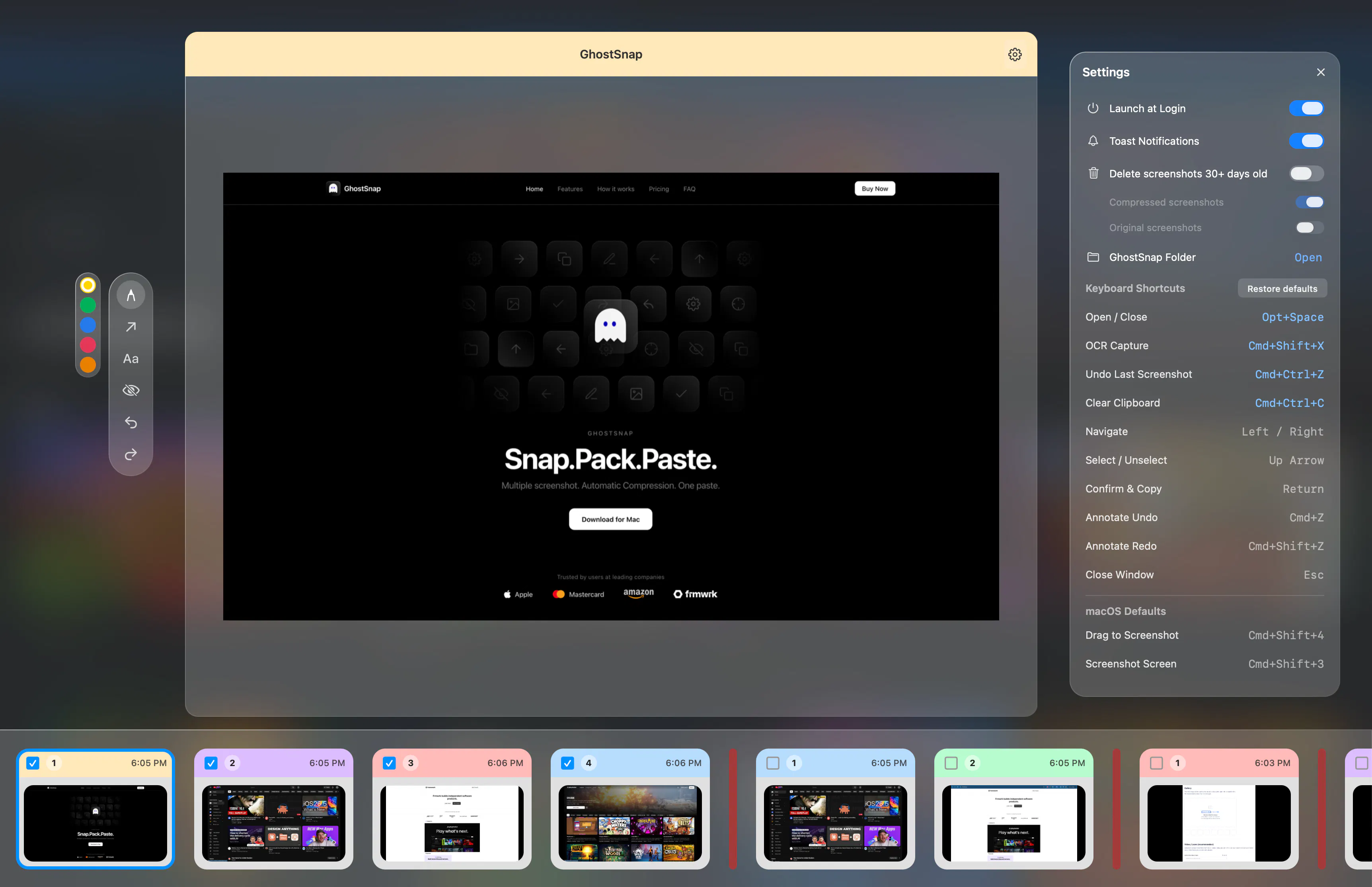
About GhostSnap
Reviews 8
-
Wiley Lubowitz 2 months ago
Love the product! IMO, having freemium version where people can use the product for 7 days like pastry can potentially help to boost the adoption, I initially hesitate to buy the product but after buying it , it worths every pennies
-
Enrico Wiza 6 months ago
Lmao this is awesome i remember you were able to do this on iphone if you were quick enough but it doesn't seem like that's the case anymore. is this something you're planning on making for mobile devices too?
-
Halle Wilkinson 6 months ago
This looks really useful! How does the annotate before paste work -- how/where do you open the images to mark? I watched the video but trying to understand the larger workflow. Thx!
-
Dorcas Parker 6 months ago
Congrats 🎉 Can’t wait to try it!!
-
Halle Wilkinson 6 months ago
Love the concept. One thing I'm curious about, when processing text from images, how do you handle low-resolution or handwritten content? Most tools I've tried drop significantly in accuracy there. Is that a tradeoff you've made or have you found a way around it?
-
Neal Jacobson 6 months ago
Oh, I like this! Really useful. Having to do this task across multiple tabs gets annoying so quickly. Not sure if you’ve already done something like this, but a history / recent actions view could be really nice so people can quickly repeat previous work. Congrats on the launch 🚀
-
Monserrate VonRueden 6 months ago
Congrats on the launch! This is one of those small workflow pains that you only notice once you start sharing screenshots with AI tools every day.
-
Reilly Thiel 6 months ago
Hey This is awesome, I like the compression, wondering only if this make token usage to be less draining- if so even better. But the product is simple in design.!