

About Kogvio
Reviews 15
-
Nils Auer 4 months ago
Hi Harshit, congrats! I'm curious about how you see the future of products like Kogvio when AI keeps being more and more integrated into the browser and the OS (i.e. Chrome now has a "Ask Gemini" option in the context menu when you select text). Thanks!
-
Adam West 4 months ago
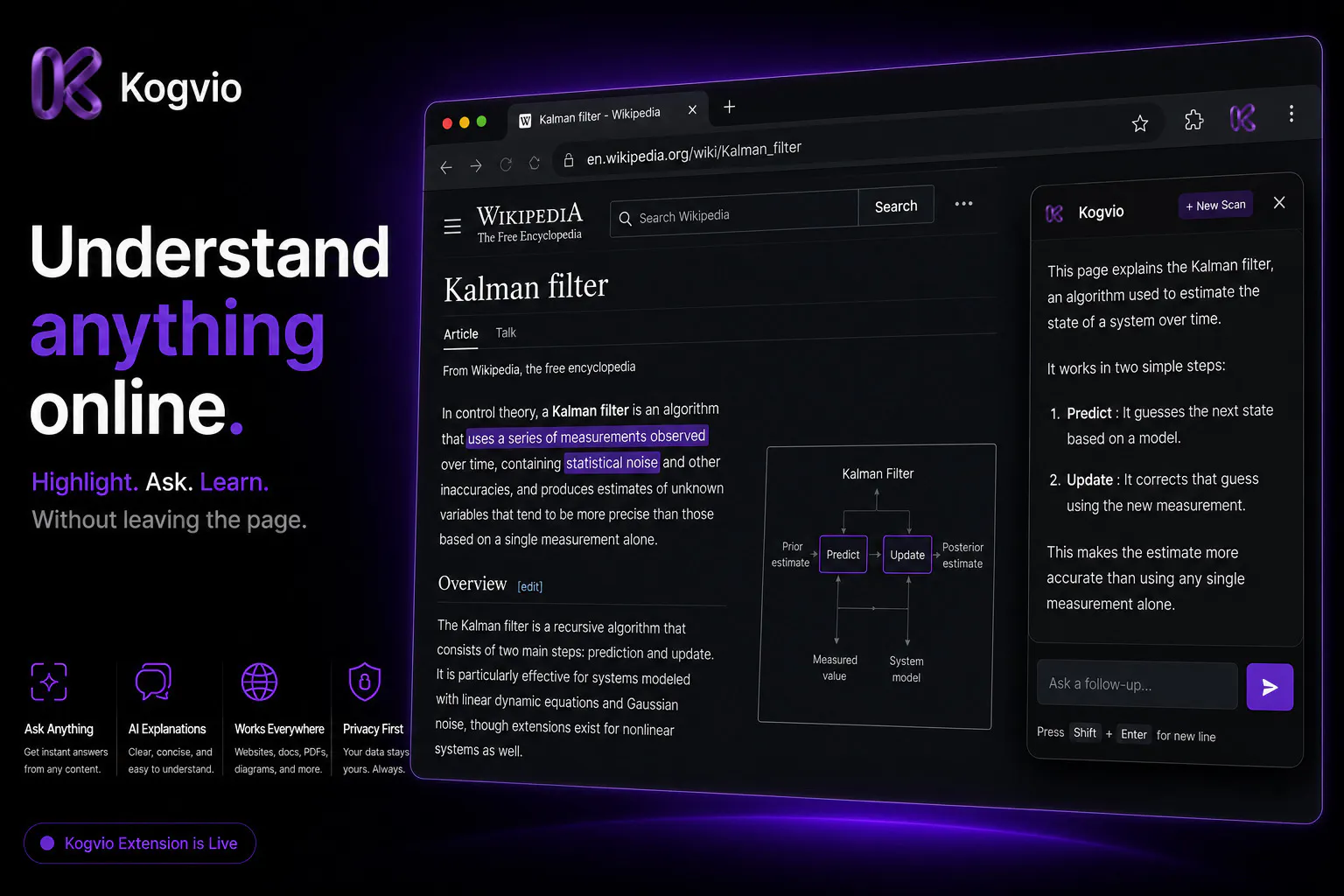
The detail that makes this credible to me is that diagrams go through a pure vision model reading the actual pixels — not DOM-scraping the nearby text. Most in-page tools quietly fall back to caption-grabbing and fall apart the second a figure has no caption. Coming from browser automation, that DOM-vs-vision call is exactly the thing people get wrong. And keeping the capture to just the highlighted bounding box to stay fast and cheap is the right instinct. Nicely done @harshit_kataria1 👌
-
Ulises Ankunding 4 months ago
The highlight-in-context flow on a PDF or docs page is the part I would actually keep installed — that copy, open ChatGPT, paste, come back loop is exactly the focus-killer you describe. Before trusting it on technical or medical material I would want to know the data boundary: when I highlight a selection, does it send just that selection to the model or grab the surrounding page/PDF context too, and is any of that page content retained server-side per query or is it stateless? For sensitive docs that is the difference between leaving it always-on and only enabling it on tabs I trust.
-
Trenton Spencer 4 months ago
Congrats, Harshit! Fellow extension builder here — quick one on “your data stays yours”: since scans save to a workspace and diagrams go through a vision model, is highlighted content sent per-request only (not used for training), and can I delete a scan? That’s what decides whether I’d keep an in-page AI tool always-on.
-
Scotty Feest 4 months ago
Neat idea! Does it work on pages with mixed languages? I work a lot with Arabic + English content and most "understand this page" tools break on RTL text. Would love to know if that's handled.
-
Dorcas Parker 4 months ago
honestly this solves something that's bugged me for ages. one thing that would make it even better is keyboard shortcuts to highlight and summon the popup without needing the mouse, basically so you stay in flow while reading long PDFs or docs. right now i imagine reaching for the trackpad breaks that focus you're trying to preserve.
-
Ayden Miller 4 months ago
Finally, something that doesn't make me bounce between tabs like a pinball. Highlighted a dense section of a research paper and got a clear answer right there without losing my place.
-
Hazel Altenwerth 4 months ago
been wanting something like this for a while honestly, the copy paste dance into chatgpt is so annoying. one thing though, it would be really nice if you could save snippets or highlighted passages into a little notebook inside the extension so i could come back to them later without losing track. like a quick personal knowledge base built up as i browse.
-
Blaze Koepp 4 months ago
Would love to see a quick keyboard shortcut to toggle Kogvio on and off without losing my highlight. Right now I have to reach for the mouse every time, which kinda defeats the staying-in-flow part.
-
Jackson Fisher 4 months ago
honestly the highlight-and-ask flow sounds really clean. one thing i'd want though, basically a keyboard shortcut to open the side panel so i'm not hunting for a small button every time. something like cmd+shift+k would make it feel instant and keep my hands on the keyboard.
-
Duncan Effertz 4 months ago
the highlight-and-ask-in-context flow is exactly the kind of friction removal that actually gets used daily instead of abandoned after a week. for something like a long research paper, does it feed the whole document as context or just the surrounding section you highlighted? that tradeoff between accuracy and cost seems like the hard part to get right.
-
Zachariah Hudson 4 months ago
Harshit, what makes it different from the Comet or Chrome browser capabilities?
-
Halle Wilkinson 4 months ago
the copy-paste-back workflow is such a small tax but it adds up over a day of reading docs. how does it handle technical diagrams specifically, is it reading the image content too or mostly working off the surrounding text
-
Johnpaul Crona 4 months ago
As someone who lives in research papers and medical textbooks all day, that copy → open ChatGPT → paste → lose-my-place loop is painfully familiar, so this clicks immediately. Two things I'm curious about: when I highlight a passage in a dense PDF, does Kogvio pull in the surrounding context (or the whole document), or only the exact selection? And for the technical-diagram case like the Kalman filter example in your demo, is it reading the figure itself or the caption and text around it? That's usually where in-page tools fall short for me.
-
Monserrate VonRueden 4 months ago
Congrats on the launch. One question tough, does this integrate with any note taking apps or can you save the explanations you got in some way? I think saving this for later review would be really useful for studying.