

MD+HTML Reader
Review AI-generated Markdown and HTML in a focused workspace
About MD+HTML Reader
Reviews 7
-
Jarrell Homenick 5 months ago
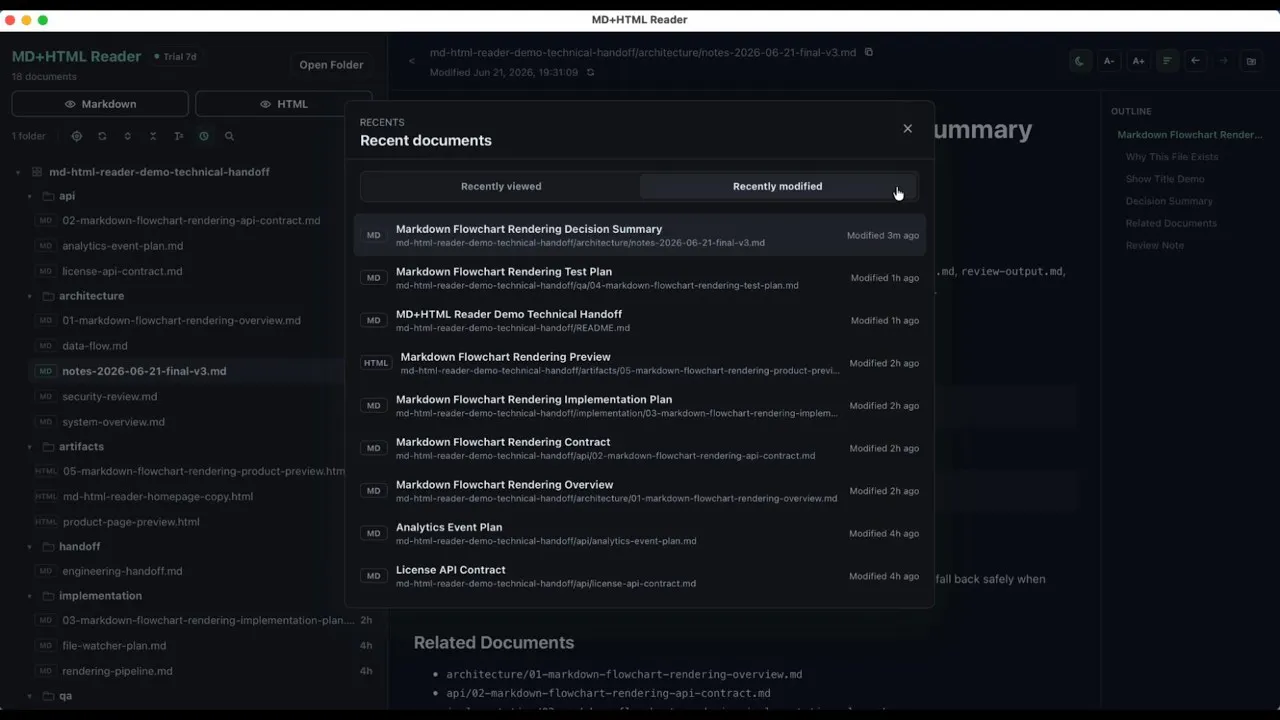
This is the exact mess I deal with after a Claude Code session, plans and handoff notes end up scattered across folders and I end up grepping just to find what changed. Curious how it detects "recently changed" docs, is it watching file mtime, or does it diff against Git so it knows what actually changed vs just got touched?
-
Johnathan Homenick 5 months ago
The read-only review step after an agent generates docs is the part I'd actually use — I keep opening plan.md in my editor and half-editing it out of reflex. The thing I'd test first: when it renders the HTML previews, does it sandbox them to static rendering, or do embedded <script> tags and remote asset references actually execute inside the workspace? For agent-generated HTML I'd want to be sure nothing runs before I've read it.
-
Gaylord Buckridge 5 months ago
What's the real benefit over markdownlivepreview.com?
-
Floyd Botsford 5 months ago
I can definitely relate to the problem. After using AI coding tools, I often end up with plans, docs, and notes spread across multiple folders. Having a dedicated space just for reviewing Markdown and HTML before moving forward sounds really useful.
-
Hobart Glover 5 months ago
Congrats on the launch! Any plans to launch it for other platforms? (like Linux)
-
Marcelo Prohaska 5 months ago
Thanks everyone for taking a look. I really appreciate the attention and feedback. Feel free to ask me anything in the comments. I will use three quick Q&As below to explain the user pain I am thinking about and where I see the value of MD+HTML Reader. Q: What problem does it solve? AI coding tools now generate a lot of useful project documentation: implementation plans, API contracts, QA checklists, handoff notes, and HTML previews. The problem is that these files often live across different folders and get buried under source code, build outputs, logs, and dependencies. MD+HTML Reader gives you one focused place to review the Markdown and HTML files that actually need attention. Q: Why not just use VS Code or a browser? VS Code is great for editing code, and browsers are great for opening web pages. But the review step is different. When I am reviewing generated docs before the next prompt, commit, or handoff, I want a quieter read-only workspace: open the whole project folder, filter out project noise, preview Markdown and HTML, and keep recent context easy to return to. Q: What are the most useful features? The most useful features are project-folder scanning, Markdown/HTML filtering, read-only preview, recent documents, recently changed documents, document-title browsing when filenames are unclear, and quick navigation back to the context you were just reviewing.
-
Korbin Effertz 5 months ago
AI coding tools generate a surprising amount of documentation now, but reviewing it is still pretty fragmented. Curious what percentage of your users are reviewing AI-generated docs versus human-written project documentation?The "before the next prompt, commit, or handoff" framing is interesting. In your own workflow, what type of AI-generated document caused the most pain and ultimately led you to build MD+HTML Reader?