

MyLens for Chrome
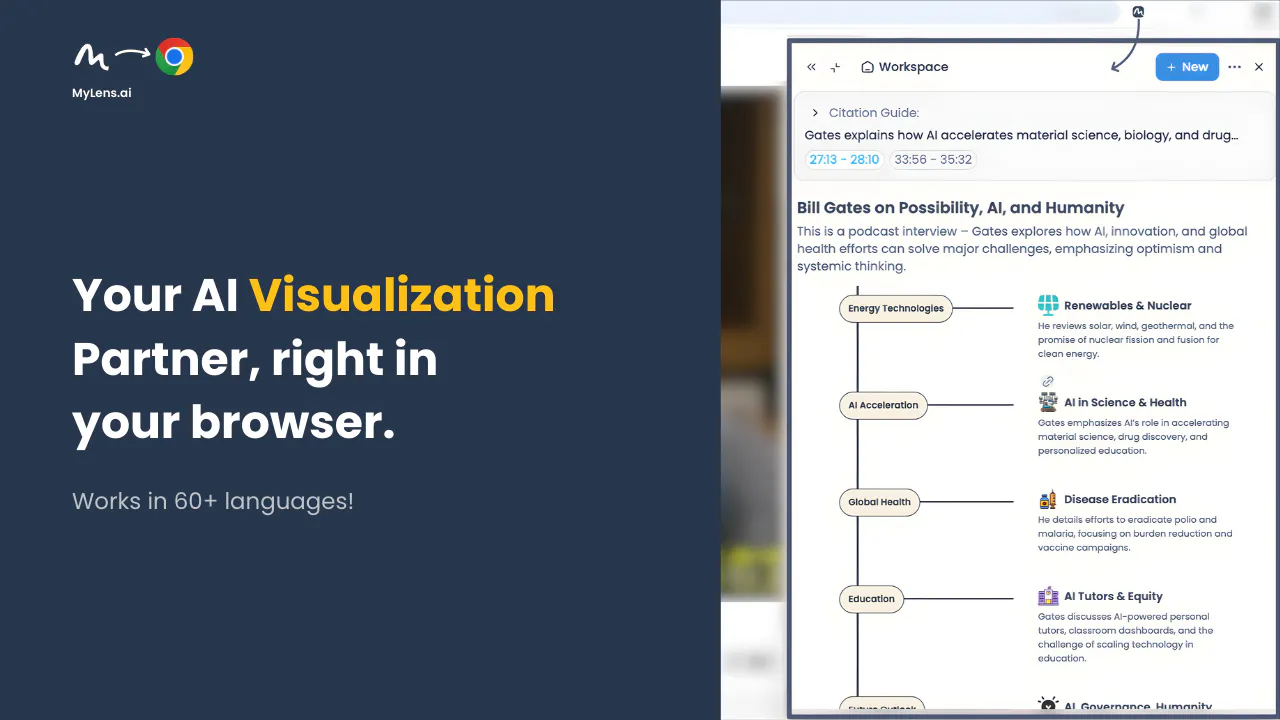
Your AI visualization partner, right in your browser.
About MyLens for Chrome
Reviews 14
-
Rocio Cormier 11 months ago
Congrats on the launch — the clickable, source‑linked insights are spot on. Cross‑web support + 60+ languages is super practical for research. Curious how you’re thinking about deeper interactions in the viz next. 🚀
-
Wiley Lubowitz 11 months ago
I appreciate your effort and wish u the best. Personally though, I'd rather consume the content in it's original form, draw my own conclusions and then use some sort of an app to manifest what's in my head in visuals. Still, best of luck to you.
-
Adam Zemlak 11 months ago
it is a great idea, but what if the page doesnot have enough content to make a linked tree. Then how does it represent it?
-
Godfrey Donnelly 11 months ago
This is a game-changer for content overload! 🚀I love the idea of turning any webpage or video into an instant, interactive visualization—especially the multi-language support (60+ languages?!). How does MyLens handle highly technical or niche content (e.g., research papers, code tutorials)? Does the AI adapt to different domains, or is there a way to "train" it for specific topics?
-
Eino Klein 11 months ago
Congrats. Free edition avaiable?
-
Zachariah Hudson 11 months ago
Congrats on the launch! I just took it for a spin. It worked perfectly on the Bill Gates interview from your demo, but interestingly, when I tried a few 3Blue1Brown videos, the output came back in Arabic instead of English. Not sure if it’s a local issue or a bug, but I wanted to flag it for you. Keep up the great work!
-
Kay Balistreri 11 months ago
Wow, MyLens looks amazing! Love the source-linked visualization concept, total game changer for research. Curious, how does it handle visualizations with interactive charts embedded in the webpage?
-
Halle Wilkinson 11 months ago
Feels made for my tab chaos. If it can pull clean visuals from YouTube talks + long docs without lag, that’s a win. Source-linked bits are nice—no black box vibes. Will try it on a few messy news pages tonight. Bonus if it doesn’t roast my laptop fan.
-
Roy Kris 11 months ago
Lovely! Eager to try, is it free,
-
Rahul Goyette 11 months ago
👍
-
Godfrey Donnelly 11 months ago
This is pretty cool (and extensive). What kind of target audience is using it? Do you target someone specifically? (e.g. project managers, university students, etc.?)
-
Fidel Davis 11 months ago
one of the greatest product of all time!
-
Elias Rowe 11 months ago
Congrats! Another one great update from MyLens, I’m already using MyLens for YouTube - so this version in more universal?
-
Charley Swift 11 months ago
Instantly create a Mind Map from a YouTube video!? What a great idea! Can those materials be exported/shared? Congrats on your launch! 🚀