

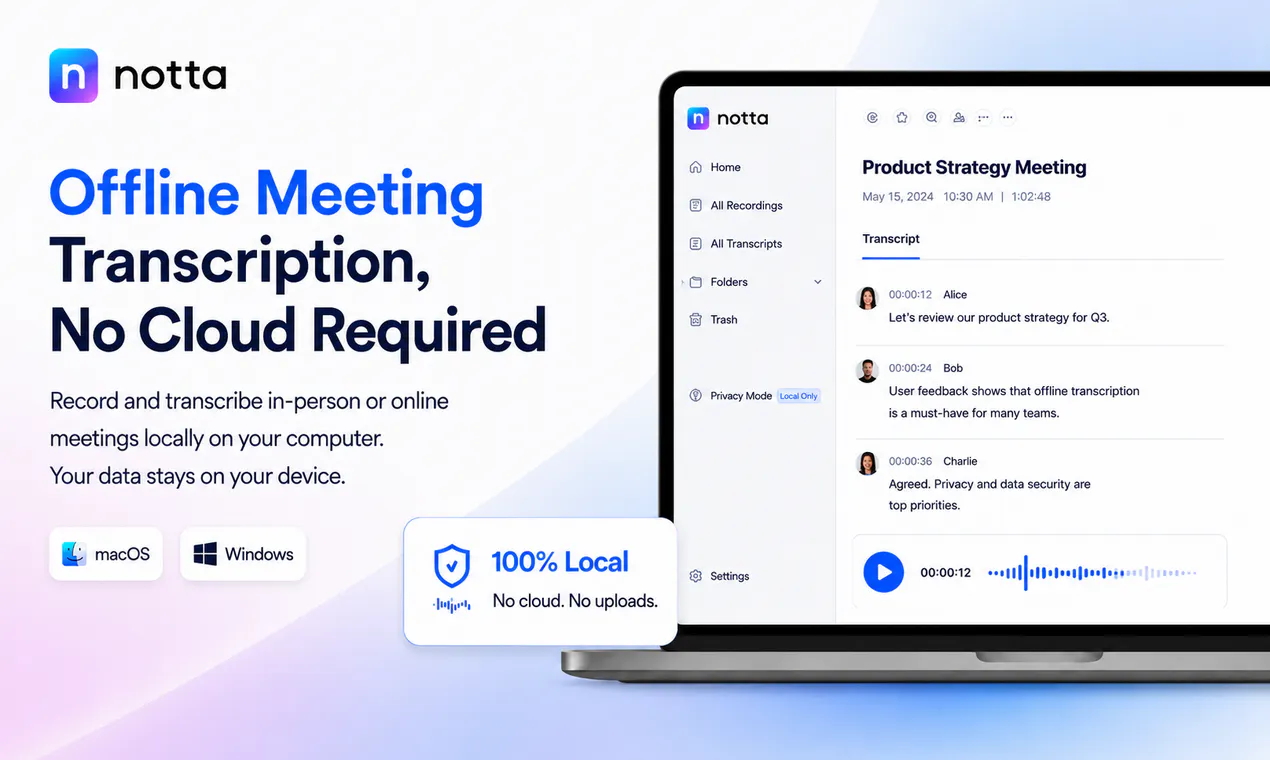
About Notta Desktop - Privacy Mode
Reviews 11
-
Paul Kshlerin 4 months ago
Hi Daniel, the peace of mind angle here really lands for me. There are plenty of conversations I'd never want floating off somewhere, so keeping the whole thing on my own machine feels like the sensible way to do it.
-
Odell Bode 4 months ago
Local-only transcription is the right call — 'not every conversation should hit the cloud' is exactly why I've avoided the hosted notetakers. Practically: is the speech model bundled and running fully on-device, so Privacy Mode still transcribes on a plane with wifi off, or is it local storage with processing that still reaches out? And if I later turn on a cloud feature like summaries, is that an explicit per-note opt-in, or does enabling it re-route everything through the cloud by default?
-
Mckenzie Mosciski 4 months ago
this is a real need, I know a few people in legal and healthcare who can't touch cloud meeting note tools no matter how good they are, compliance just kills it. running transcription fully local usually means a smaller/quantized model though, how's accuracy on multi-speaker calls with crosstalk compared to the cloud version, or is privacy mode meant more for single-speaker dictation type use
-
Roy Kris 4 months ago
Great team building a product that turns AI meeting minutes into real insights and actions
-
Jedidiah Farrell 4 months ago
Awesome solution! Could you please list the minimum specs required for the offline mode? I'm guessing you're launching a local MLX model?
-
Chaim Schuppe 4 months ago
Congratulations on the launch! The no-bot, on-device approach is genuinely useful for sensitive calls. In Privacy Mode, does the app make any network calls at all (for example: telemetry, analytics, licence checks) or is it completely zero outbound traffic while offline?
-
Marcelo Prohaska 4 months ago
Great product!!
-
Franz Bauch 4 months ago
"no awkward bot in the room" is a real selling point, half the resistance to recording client calls is the third participant named Notta Bot making everyone perform capturing system audio directly is the right call. checking this out for client calls where the conversation can't leave the machine
-
Conner Gislason 4 months ago
amazzzing product~
-
Wiley Lubowitz 4 months ago
The unlimited local transcription is the part that genuinely matters to me — cloud-minute caps are exactly why I stop trusting a tool for long interviews and back-to-back calls, so removing that ceiling is a real unlock. Two specific questions beyond the local-vs-cloud split TJ already asked: does the offline model handle speaker diarization locally, or does that still fall back to cloud? And what can I export the local transcript and notes to — is Markdown one of the formats, so it drops cleanly into a notes vault? Good to see privacy shipped as the default instead of an upsell. Congrats on the launch.
-
Dorcas Parker 4 months ago
@danielwayne This is interesting. I’ve always felt AI transcription tools are useful, but privacy is the part that makes me hesitate, especially for internal meetings or sensitive client calls. A desktop-first, more private workflow makes a lot of sense. Curious how much can run locally today, and where the line is between local processing and cloud features. Congrats on the launch. Will be following this one.