

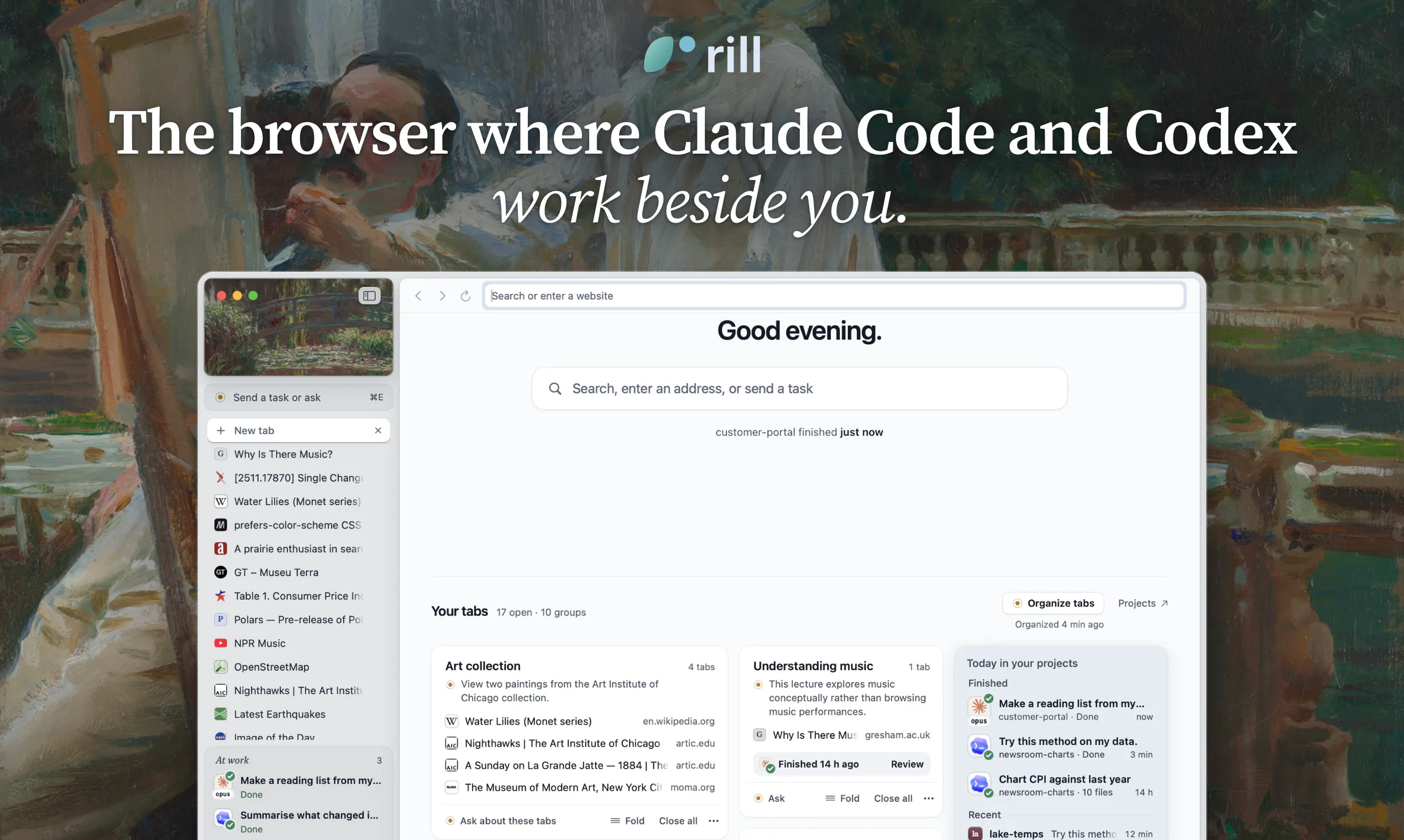
About Rill Browser
Reviews 15
-
Joaquin Wisozk 3 weeks ago
Smart browser design. Questions: Does it handle multiple Claude projects simultaneously? Privacy model for context sharing? Keyboard shortcut customization for power users? API access for agent integration?
-
Rocio Cormier 1 month ago
Guys, congrats on the launch! Love the idea of having everything in one place! I have a question: can I manage task priorities across multiple agents, or does ech agent work independently?
-
Lance Morar 1 month ago
Congrats on the launch!! quick question, does the console go across too? i'm usually just looking at my own localhost and the thing i actually need is whatevers in the console, plus the request that failed under it. right now thats me copy pasting it in every time and how does it know which project. i have the same app running on like three ports half the time.
-
Korbin Effertz 1 month ago
Hey @williamgaoharvard Congrats on your launch and leading the chart. Is this mobile compatible, can we send tasks from mobile, we could do with Claude?
-
Constantin Leuschke 1 month ago
I opened History at the end of the day and it read like a diary. I’ve never looked at my Chrome history for fun. Congratulations on the launch
-
Eino Klein 1 month ago
I’d love to queue up a few tasks at night and wake up to them done. Is anyone already using it like that?
-
Karley Frami 1 month ago
I use Codex for research too, so I can see this being useful beyond coding. Being able to trace a draft back to the pages that informed it would matter more to me than just handing over the tabs.
-
Paul Kshlerin 1 month ago
This is a pretty need tool. I have always been a fan of these tools that kind of act as a surface to multiple products. I would recommend expanding to include other tools as more tools outside of Codex and Claude Code will come out and being able to "plug and play" would be cool.
-
Randi Prohaska 1 month ago
Hi William, great job defining the use case, e.g. I have an idea, I want to tell my agent about this idea immediately, and then send my agent off to work on my idea. I have a question about the project view (or any of the views). is there a way to view the progress of the agents once they are working on or have completed a task?
-
Franz Bauch 1 month ago
QQ: how is Rill different from Claude in Chrome?
-
Rocio Cormier 1 month ago
The idea of turning a random thought while browsing into actual work without breaking your focus feels genuinely useful.Congrats @williamgaoharvard
-
Buck Yundt 1 month ago
the per-turn snapshot and Undo you mentioned in another thread is the detail that got me, I've been asking a version of this question on a few launches lately - does that snapshot/undo only cover the git state, or does it also know about anything the agent did outside the repo during that turn (an API call it made, a form it submitted on the page it was reading)? code is easy to revert, a request that already fired isn't, and that gap is the part I haven't seen anyone solve yet
-
Kenneth Corwin 1 month ago
Congrats on the launch, William! The code-switching problem is real. Ideas tend to hit when I'm reading something unrelated, and having ⌘E turn the page into a task for the agent in the right project sounds like a great way to catch them. Looking forward to trying it out.
-
Kyleigh Luettgen 1 month ago
sending an idea straight from the page makes sense. does the task keep a snapshot of that page, so the agent still has the original context if i navigate away or the site changes?
-
Odell Bode 1 month ago
Turning the page you are already looking at into a task for your agent with one shortcut is a really natural way to blend browsing and building. Passing along the right project context is the part that usually goes wrong in these setups, so handling that automatically is nice. Does the agent stay in the background while you keep browsing other tabs?