

About SecAIQ Watch
Reviews 3
-
Daren Bruen 1 month ago
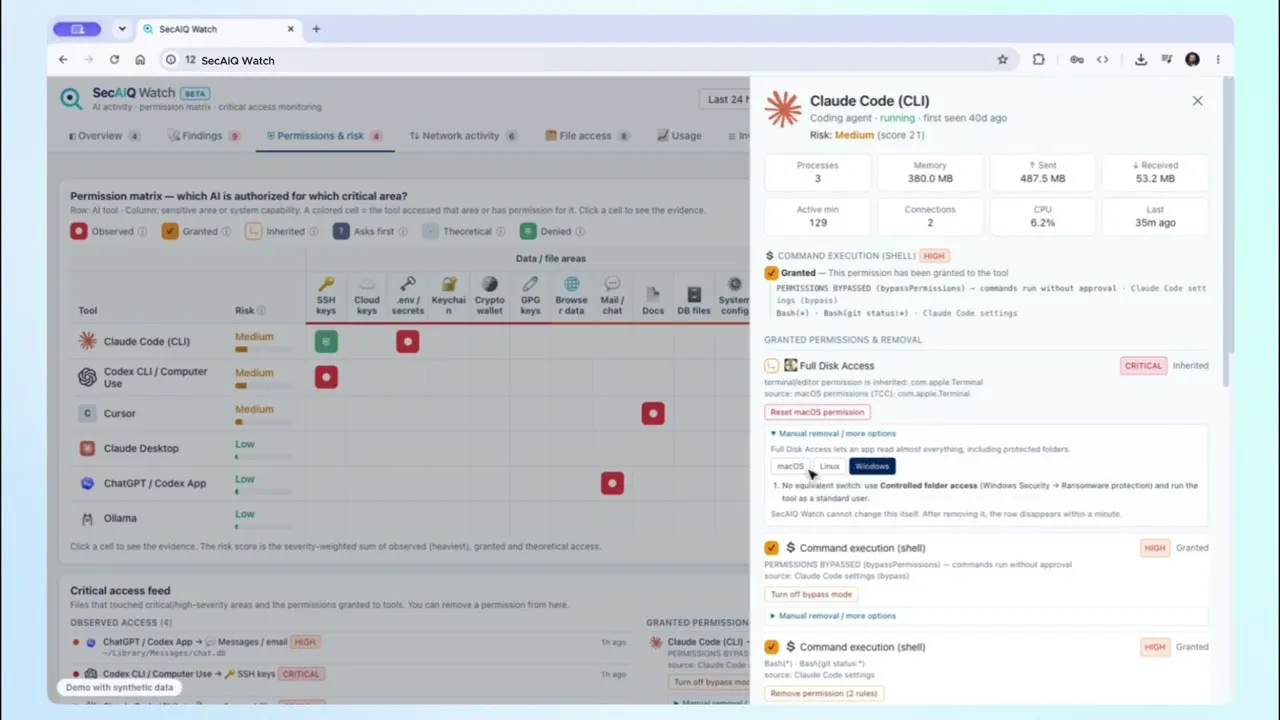
Update: v0.12.0-beta is out 🎉 Thanks to everyone who tried SecAIQ Watch and gave honest feedback. A reviewer pointed out that the A–F grade could give more confidence than it should. That was fair, so this release focuses on that and on closing the loop on findings. What's new The grade now says what it covers. It only reflects the AI tools the app recognises. Reports and the dashboard now say so, show how many other processes are using the network and are not classified, and link straight to them. It's a score for the tools it knows, not a clean bill of health. Conditional risk acceptance. Accept a finding for today, 30 days, or one project only. It reopens by itself if the evidence changes. Monitoring health. Each data source shows whether it's current or couldn't be read, so a blind spot never looks like quiet. MCP server trust. If an MCP server's command, package version or address changes after you trusted it, you get a finding with before/after. Fix verification and a session timeline. See whether a Protect action actually took effect, and follow one work session's processes, destinations and sensitive file access on a single timeline. Clearer platform status. The README, guide and in-app banners now state how each OS has been tested. macOS is the reference platform; Linux has been tested with sample command output only; Windows is in early real-machine testing. SecAIQ Watch is still a visibility tool: it doesn't block anything. It's free, MIT-licensed, local-only, no account. 👉 github.com/Spaksu/secaiq-watch If something looks wrong on your machine, run php bin/diagnostics.php and open an issue. Feedback like yours is what shaped this release.
-
Dejon Bergstrom 2 months ago
Something I want to say openly: within hours of launching I got messages offering to buy votes, and others promising "real, engaged voters" for a fee. I understand why the offers exist, the first hours matter, but I don't want this project's first supporters to be paid ones. SecAIQ Watch is a security tool; trust is the whole point, and that starts with how I introduce it. If you've tried it, I'd rather hear one honest criticism than receive ten upvotes.
-
Joshua Abshire 2 months ago
the part I'd want answered before trusting the posture grade: this detects ~37 tools by some kind of signature. what happens when a tool isn't in that list - does it just not show up, or does it flag "unknown process with network access" as its own category? a detector that goes quiet on unrecognized tools is more dangerous than no detector at all, because it replaces "I don't know what's happening" with a false "everything's fine" from a dashboard that looks authoritativ