

About Skippr AI
Reviews 15
-
Hazel Altenwerth 4 months ago
Embedding an AI employee inside someone else's product creates a very different adoption challenge than launching a standalone assistant. Curious—do customers think of Skippr as a feature they enable, or as a teammate their users gradually start relying on?
-
Odell Bode 4 months ago
Great question! Until now we've worked with B2B customers only, but the new self-serve tier lets anyone embed an agent in their app or share it via a video meeting link (it can even see a screen share from outside the product). Curious what B2C use cases you have in mind! Compared to a chatbot trained on your app: Eyes. It sees what's happening on the user's screen in real time, not just answers from docs. Hands. It can move the UI itself and complete long multi-step tasks. Voice + brain. It talks naturally and digests the live session, past history, and long-term user memory. Lives beyond the product. It can join your team's flow, like guiding a session in a meeting room. Less chatbot, more live expert that watches, talks, acts, and remembers.
-
Fidel Davis 4 months ago
I love this approach. Do you have any B2C customers? How does it compare to just having a chatbot inside your application that is tuned to your platform?
-
Derick Koelpin 4 months ago
@sagi_shorrer1 Really interesting approach! As AI agents become more capable, I’m curious how you think about the boundary between an AI employee and a traditional product experience. What are the key moments where you believe users prefer an agent taking action vs. using the product themselves?
-
Kyleigh Luettgen 4 months ago
an agent that can act on screen with real browser automation is a bigger trust leap than a chatbot. if it clicks the wrong button in a live user session, who catches that before the user does - is there a confidence threshold where it hands back to a human instead of just acting?
-
Chelsey Gottlieb 4 months ago
Congrats!
-
Toni Kutch 4 months ago
You mentioned it takes two lines of code to embed—how much setup or context feeding is typically needed before the agent can navigate complex custom workflows independently?
-
Neal Jacobson 4 months ago
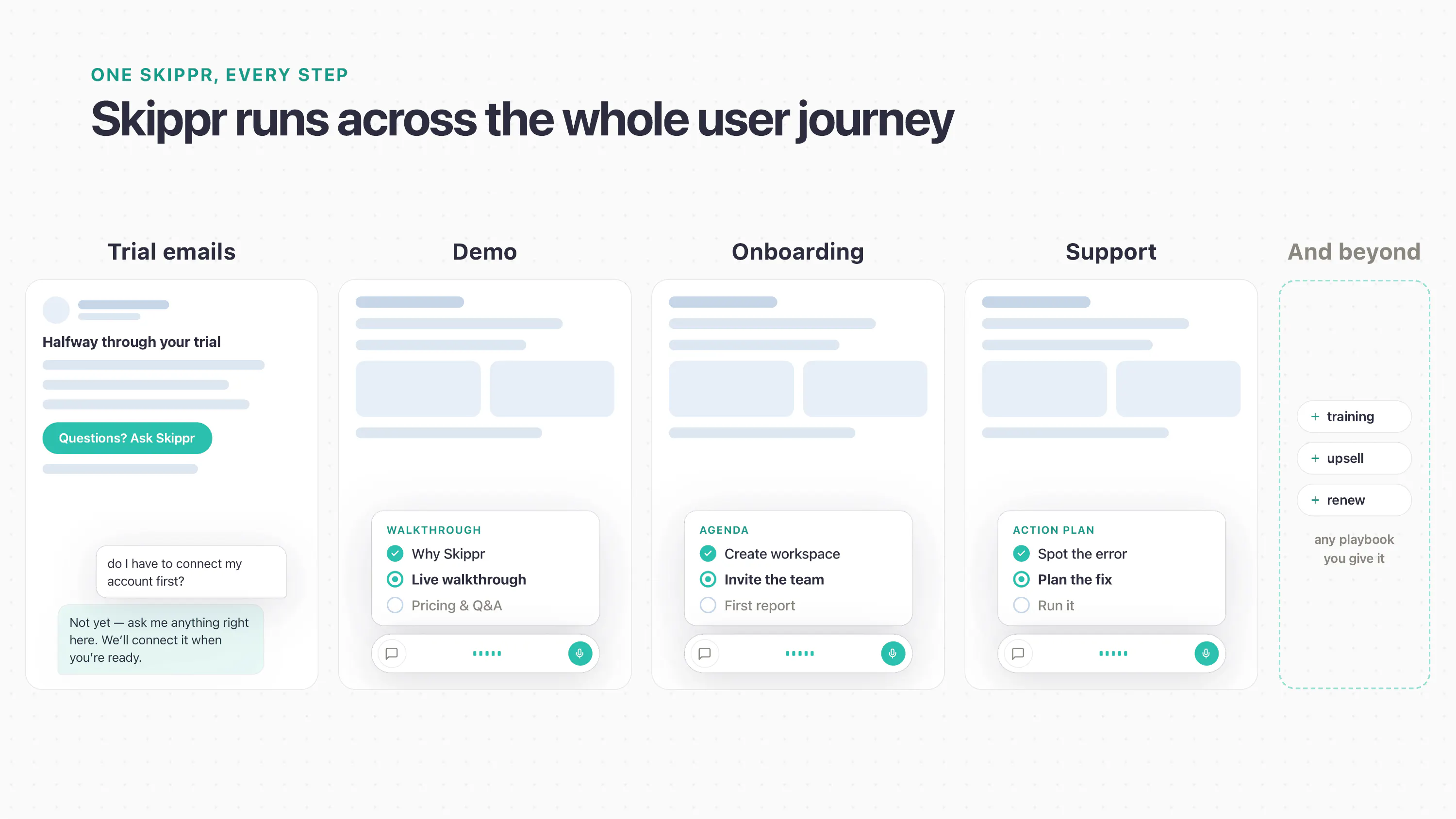
Excited to see Skipper launch today! Congrats on the launch @sagi_shorrer1 I had the chance to try Skipper a few weeks ago! It was amazing how intuitive the whole experience felt. It doesn’t behave like a scripted chatbot or a traditional product tour. It actually understands what’s happening inside the product, sees the interface, talks to the user, and can take action in real time. It feels much closer to having your best product specialist embedded directly into the experience! Ready to onboard, guide, train, and support every user.
-
Monserrate VonRueden 4 months ago
The live see-talk-act loop is the hard version of this, and the part I'd want to hear about is what happens when an action doesn't land. Browser-driving agents break the moment the UI shifts under them: a modal pops, an A/B test moves the button, so the agent clicks and the page isn't in the state it assumed. Does Skippr verify the effect of each action before moving on, and how do you keep that vision-plus-action loop inside conversational latency so the voice side doesn't feel laggy?
-
Toni Kutch 4 months ago
Work in any language ? French and arabic?
-
Al Wolf 4 months ago
Congrats on the launch, Sagi. In-product help that acts instead of pointing at docs is the right direction. We spent months getting new users to their first success moment faster (in our case, a clinician producing their first note in under ten minutes), and most of that friction lives inside the product, not in the marketing. One angle I have not seen in the thread yet: the agent sees the user's screen. For products handling sensitive data (health records in our world), can you mask fields or exclude zones from its vision, and where does that vision stream get processed?
-
Jaylon Deckow 4 months ago
The browser automation is the part I'm most curious about. One thing that would make it feel way more trustworthy is a small audit trail window showing what the agent just clicked or typed, so users can follow along and intervene if it drifts. That kind of transparency would help a lot during onboarding flows where trust is everything.
-
Mckenzie Mosciski 4 months ago
What is the criteria for a problem that would be handed over to a human? Given that Skippr cannot fix it.
-
Joaquin Wisozk 4 months ago
the "it clicks, it doesn't just point" part is the interesting bit and also the scary bit. once an agent is actually driving the UI instead of just narrating, what happens on a destructive action, like a delete or a cancel-subscription button, does it always pause for a real confirmation, or is that left up to how the workspace owner configures it?
-
Jaiden Runolfsson 4 months ago
How does the agent handle it when a user asks something totally outside what it was trained on? Does it hand off to a human or just say it doesn't know?