

Stingray Security Chrome Extension
In-browser A.I. protection from online threats - all free
About Stingray Security Chrome Extension
Reviews 10
Thanks! Your review is posted.
Sign in to rate and review Stingray Security Chrome Extension.
-
just now
-
Curt Nienow 1 year ago
I know the team behind this product and know I can trust them with such an important security feature. Downloaded and active in my browser...
-
Former member 1 year ago
It's been fun seeing Ian and team build Stingray, from idea now to launch. We know that humans are fallible and "diligence" isn't enough to avoid these risks, so it's great to see builders take on big problems like this.
-
Felipe Sanford 1 year ago
We interrupt Stingray’s Product Hunt launch for some breaking news: you died! Or at least that’s what your family members are saying. Or at least that’s what a sophisticated group of cybercrime phishing scammers are telling users of LastPass, the password management tool, that their family members are saying. LastPass users were told a family member claimed the user had died, was trying to recover the user’s login credentials, and the only way to stop the family member was for the user to provide their LastPass master password. Of course, this was all a scam. It didn’t stop there: the phishing emails went by individualized links. If a user clicked on the link, the scammers followed up directly with a phone call, urging prompt action. We’ve posted more information on our LinkedIn profile, if you’re curious. We’ve built Stingray to help stop scams like this. Have a look at our promo video to see how it works, or try it by download now from the Google Chrome store - completely free, no passwords or credit cards required. We’d love your feedback.
-
Former member 1 year ago
Have we mentioned that Stingray won the ScamShield investor protection challenge? Frustrated with “devastating” and ever-increasing losses from online scams, a Canadian securities commission, police service, and police foundation teamed up to present an innovation challenge to tackle crypto investment fraud. We’re pleased to announce that of dozens of submissions worldwide, Stingray took home first place. Here’s the news release, if you’re interested. Everyone deserves to feel safe online. But we’re not done yet: we’d love your feedback on Stingray’s product to date.
-
Floyd Botsford 1 year ago
Stingray's technical co-founder @imackinn (Waterloo & Stanford alum) is doing an AMA today - head on over to hit him with hard questions or ask him about his record-breaking TikTok: https://www.producthunt.com/p/stingray-security/i-m-the-technical-co-founder-of-stingray-ama
-
Joany Hansen 1 year ago
Hey Ian, before I download want to ask, what permissions would I need to allow the extension?
-
Former member 1 year ago
Amazing product that solves a real solution. I’ve been using stingray and installing it on every single family members computer!
-
Jackson Fisher 1 year ago
Congrats on your launch team! It looks like a great product. I'll give it a try
-
Former member 1 year ago
Stingray is a great product made by a world class engineer solving a very important problem. Everyone should be using it.
-
Conner Gislason 1 year ago
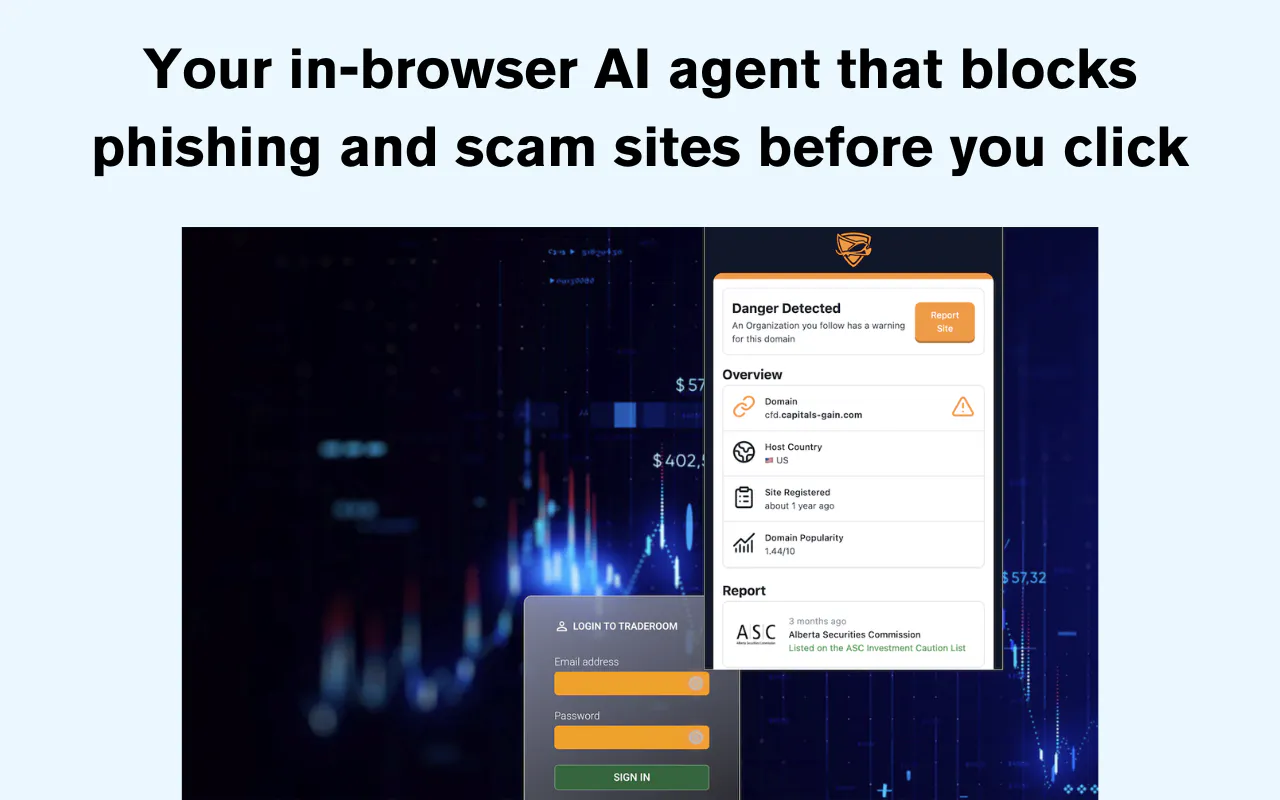
Hey Everyone, Excited to share Stingray Security, our new Chrome extension that brings real-time phishing and scam detection directly into the browser. What makes Stingray interesting technically is that it runs an AI-agent on-device, which means it can detect 0-day phishing pages or malicious crypto trading platforms even before they’re reported even if you're the first victim to land on it. We combine several layers: Domain intelligence (age, hosting, DNS, trust signals): For popular sites, we just toss up a "green light". If we don't recognize the domain, we check with our backend to see what it says. Deep learning models trained on real phishing and crypto scam pages: If we don't know about the domain, we run a local check to see how its suspicious it is right in your browser. Kicking up to our backend only if something is flagged. Context-aware analysis of rendered HTML and link structures In-page safety overlays that guide users right where the risk is (e.g. login and payment fields) Get feedback on good pages, not just the bad. The goal is to make phishing protection feel less like an add-on and more like an AI co-pilot that quietly guards every page interaction you have and gives a stoplight signal nudge to let you know how safe a page is. We're going to great lengths to preserve privacy along the way and happy to answer any questions about that. Ian