

Stride
The AI workspace that plans, designs and ships with you.
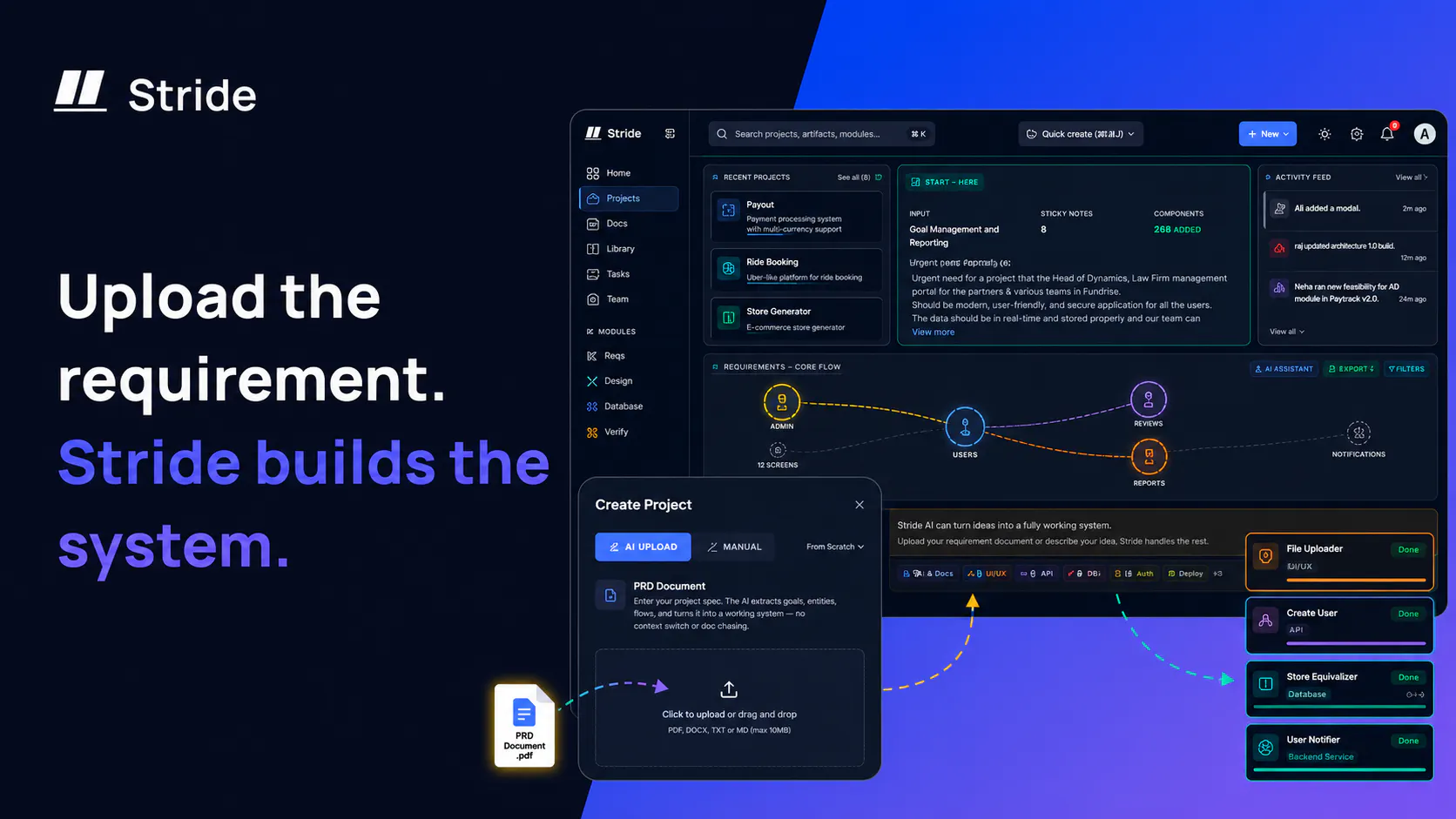
About Stride
Reviews 11
-
Al Wolf 5 months ago
Congrats @kunalsharda . The switch I always feel is from “okay, we understand the feature” to “cool, now make tickets and ship them” That’s where a lot of useful context is lost in docs, chats, diagrams, and people’s heads.
-
Jedidiah Farrell 5 months ago
I've tried a lot of project management tools, and most of them eventually turn into places where information goes to hide. What I like about Stride is that I spend less time searching and more time actually building. Requirements, discussions, and execution stay connected instead of being scattered across multiple tools. It's one of those products that feels simpler the longer you use it.
-
Godfrey Donnelly 5 months ago
plans, designs, and ships are three very different modes. plan is about exploring options, design is about constraint, ship is about commit. curious how Stride keeps context coherent across these without flattening them. does it know when to push back on something planned because the design phase showed it's not feasible, or does it just keep building?
-
Ayden Miller 5 months ago
Great platform! The ability to generate test cases directly from requirements and maintain traceability throughout the development process has been particularly valuable for our team. 👏
-
Charley Swift 5 months ago
Recently i switched from jira-confluence to stride and i learned that the biggest flex stride has is not some flashy Al feature-it's that I don't have to keep reminding myself where everything is. Usually I'm jumping between docs, tickets, chats, and random notes trying to piece everything together. With Stride, it just feels like everything is in one place and connected. It's one of those things you don't fully appreciate until you go back to your old workflow and realize how much time you were wasting. Curious if anyone else has the same problem or if it's just me.😅
-
Tyrique Lind 5 months ago
The interesting part is keeping planning, design, and shipping in one loop. Most tools nail one of those then lose the thread.
-
Jaylon Deckow 5 months ago
I've had a front-row seat watching Stride come to life, and one thing that constantly stood out was how much time teams lose simply moving context between tools. One doc becomes five tabs. One requirement becomes ten conversations. And before you know it, half the effort is spent reconnecting information instead of building. Seeing Stride evolve from an idea into something that actually keeps planning, design, engineering, and QA connected has been incredibly rewarding. I'd genuinely love to know: what's the one context switch in your daily workflow that frustrates you the most? Every answer helps us build a better product. ❤️
-
Johnathan Homenick 5 months ago
What used to take days of planning, grooming, and coordination can now be completed in under a minute. 👏
-
Adam West 5 months ago
An AI workspace that goes from planning all the way to shipping is a neat all-in-one approach. Does Stride integrate with tools like GitHub or Figma?
-
Daren Bruen 5 months ago
I’ve been using Stride heavily for AI-assisted full-stack development, especially with Codex and Claude Code through MCP, and this is where it really clicks. The biggest value for me is the flow from product thinking to execution: PRD → epics → stories → acceptance criteria → test cases → implementation. I can then hand that work off to an AI coding agent that has the full project context through MCP. That means the agent is not starting from a vague prompt. It knows the ticket, expected behavior, acceptance criteria, related test cases, and the current workflow state. In practice, this makes the dev loop much tighter. Claude Code or Codex can pick up a ticket, work through the implementation, use the acceptance criteria as the target, run the relevant test cases, and move the ticket from To Do → In Progress → Ready for Review. What I also like is that the workflow does not stop when implementation is done. Once a ticket moves into review, Codex can continue updating the work through MCP: adding comments, attaching relevant context or outputs, recording what changed, and keeping the ticket useful for the next person reviewing it. For anyone building with AI coding agents, this solves a very real problem: the gap between “we planned the work” and “the agent actually has enough structured context to build the right thing.” Stride gives that context a home, and MCP makes it usable directly inside the development workflow. If you’re doing AI-assisted development with Claude Code, Codex, or similar tools, I’d definitely recommend trying Stride. 🎁 Early-bird discount for the Product Hunt community: use code AAYUSH10
-
Ruben McClure 5 months ago
The "plans, designs, and ships" framing covers a lot of ground, and the interesting question is where the handoffs happen. Most tools like this are solid at one of those three and then quietly hand you back the wheel for the others. Curious whether Stride is actually driving the design-to-code transition itself, or whether "designs with you" means something closer to a Figma-adjacent whiteboard that you then feed into the build step. Also wondering how the Vercel tie-in works in practice: is deployment genuinely wired into the workspace so shipping is one action, or is it more of a pre-configured export target?