

About Tidy
Reviews 15
-
Felipe Sanford 3 months ago
Three weeks after launching here, Tidy just shipped 2.0 — and almost every feature in it came from someone who wrote to me. The one I'm proudest of: Tidy now learns how you file things. It watches only the folders you gave it, and when you move files by hand to the same place three times, it asks: "You've moved 3 PDFs into Invoices. Want a rule?" One click makes the rule, one dismisses it forever. It never automates anything you didn't do first. Also new: search inside images and scanned PDFs, where Spotlight finds nothing because there's no text layer to index. A privacy audit that warns when a scanned passport or a card number is sitting in your Downloads. Watching any folder you choose, not just Downloads. And a stage mode that hides your Desktop before you share your screen. The German blogger who gave Tidy its first review asked for two of these. A Reddit commenter asked for another. Two people reported bugs within hours of 2.0 and the fixes went out the same day. Still $9, one time, no subscription — and it never will be one, because there's no server to pay for. Everything runs on your Mac: no account, no telemetry, nothing uploaded. If you bought it in July, it already updated itself. If you're new: what's the messiest folder on your Mac right now?
-
Conner Jacobs 3 months ago
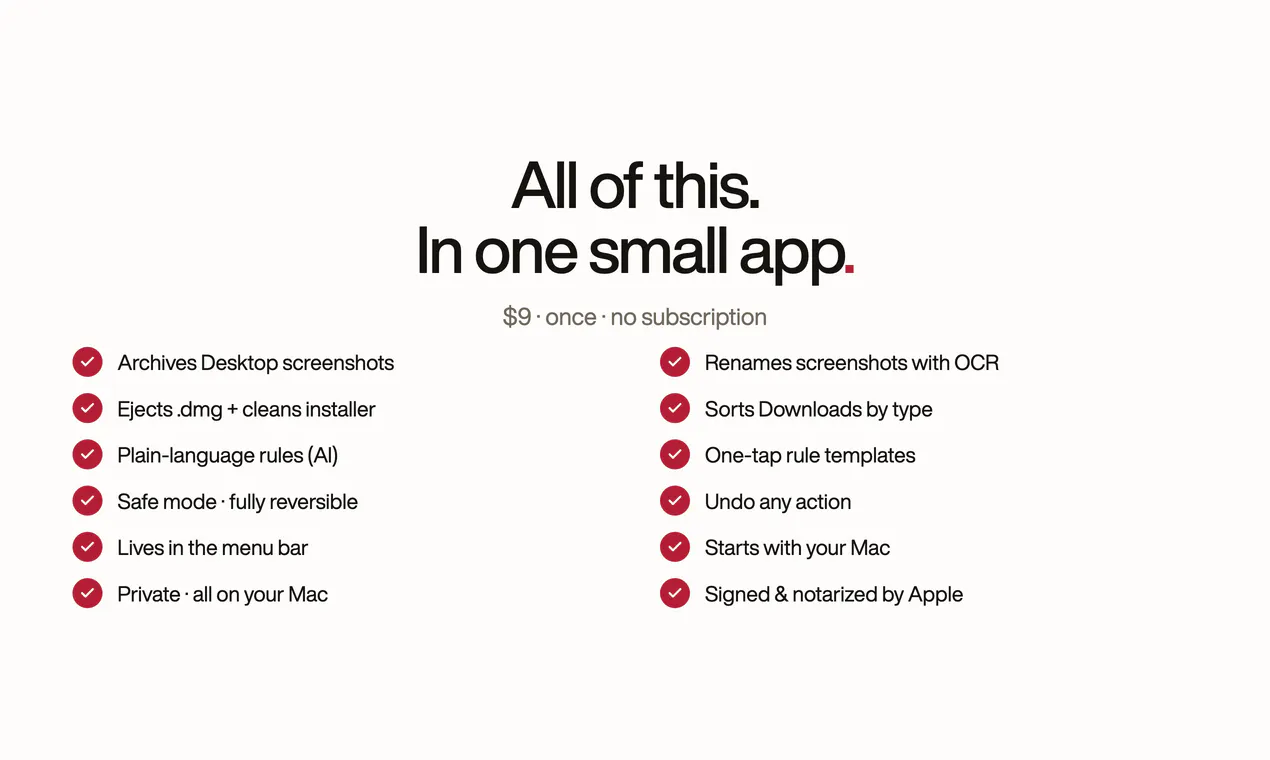
Tidy 1.8 is out — and it's our biggest update yet 🎉 Two weeks ago we launched here with a promise: you ask, we build. This week a reviewer in Germany put that to the test — his review wished for German localization and fully custom renaming. Both shipped the same day his article did (he gave Tidy 5/5 ⭐). What's new in 1.8: 🌍 Tidy speaks German — full localization (English, Spanish, German), following your Mac's system language automatically. The website too. ✍️ Name style — control how generated names look: lowercase, separators, German transliteration (ä→ae), and date formats (DD-MM-YYYY or YYYY-MM-DD). 🤖 Free-form AI renaming prompt — write your own naming instructions per rule ("in German, lowercase, date at the end") and Apple's on-device model names your files accordingly. True to our core promise: nothing ever leaves your Mac. 📄 Rules that read INSIDE files — "every PDF that mentions X" is now a rule, powered by on-device OCR. 📌 Rename-only rules — rename files from their content and leave them exactly where they are. 🛡️ Hardened by a triple independent audit — dry-run now covers everything (including Smart Eject), a discreet-notifications option for screen sharing, safer undo, VoiceOver labels on every control. Existing users: Tidy updates itself — you probably already have it. And the door stays open: tell us what's missing and watch it ship. 🚀
-
Felipe Sanford 3 months ago
Another week, another two versions — and I didn't pick either of them. v1.3: a user emailed saying his Downloads folder lives in iCloud Drive and Tidy couldn't see it. Fair. You can now point Tidy at any folder you like, iCloud included. Shipped the same day he asked. v1.4: another user wanted to sort files by a word in the filename, not just by extension ("send everything with 'beatloop' in the name to my Loops folder"). Rules can now match filenames — on their own or combined with an extension. He also caught a real bug: the dry-run plan from a manual pass was being wiped by the automatic sweep a few seconds later. Fixed. The plan now stays until you apply or dismiss it. Both of them found something I would never have found alone, and both are live for everyone automatically — Tidy updates itself now. That's the whole method, honestly: someone writes, I fix it that day, everyone gets it. Still $9 once, still no subscription, still nothing leaves your Mac. tidymacapp.com Keep the emails coming — [email protected] reaches me directly.
-
Korbin Effertz 4 months ago
Update, 48 hours after launch: everything this thread asked for is shipped — and then some. 🚢 v1.2 is live: · Dry-run mode — flip it on and Tidy shows its plan ("file → destination") before anything moves, with one-click Apply · Searchable history — including exactly what went to the Trash, so you can empty it with confidence · Run-level undo — one click reverts an entire sorting pass · Automatic updates — this is the last version you'll ever have to download by hand. Tidy keeps itself current from here on. You asked on Tuesday. It's all live by Thursday. Free update, same $9, still no subscription: tidymacapp.com Thank you for writing my roadmap — keep it coming.
-
Jaylon Deckow 4 months ago
Launch day is a wrap — thank you, everyone. Final tally: #17 of the day, 125 upvotes, and the most trust-focused comment thread I could have hoped for. You wrote half of the 1.1 roadmap yourselves: preview/dry-run mode, a reviewable history, folder exclusions, and run-level undo — all coming. To everyone who bought Tidy on day one: your Mac is about to get very boring, in the best way. And to whoever finds the next edge case: [email protected]. Yesterday morning proved fixes ship in about an hour. 🧹
-
Orrin Batz 4 months ago
I literally set aside time each week to do this myself so this is so cool!! Does it let you set custom rules beyond strict logic or is there a way to use the AI to set rules with more context that I can describe to it? Also would love to see a log of everything that's been changed every now and then so that I can clear my trash with confidence. Great stuff!
-
Jarrell Homenick 4 months ago
the "only touches new files, never deletes" design is the right call for something running unsupervised. one edge case I'm curious about: I have Desktop & Downloads Folder sync turned on through iCloud, so files sometimes sit as not-yet-downloaded placeholders for a few seconds. does Tidy wait for a file to actually finish downloading locally before it acts, or is there a chance it grabs a placeholder mid-sync
-
Carter Volkman 4 months ago
The screenshot renaming with on-device OCR is genuinely useful, finally my Desktop isn't a graveyard of "Screenshot 14.22.10.png" files. Love that it only handles new files and never nukes anything, plus nine bucks once feels right for something this focused.
-
Ayden Miller 4 months ago
the on-device OCR renaming screenshots based on their actual content is such a clever touch. feels like the kind of small detail that makes you trust the rest of the app to do the right thing.
-
Korey Hammes 4 months ago
The OCR rename for screenshots is genuinely useful, turned a messy pile into something I could actually search. The plain English rules for Downloads feel like the right idea too, though I wish I could preview where a file would land before it moves.
-
Wiley Lubowitz 4 months ago
finally something that doesnt try to be a whole file manager. the ocr renaming actually got my messy desktop down to zero icons in a couple days.
-
Jaiden Runolfsson 4 months ago
Love the plain English rules and the on-device approach. One idea: let me exclude folders from the auto-sort, since I keep a Downloads subfolder for client assets that I want untouched. A simple right-click "ignore this folder" option would save me from writing a rule for every exception.
-
Felipe Sanford 4 months ago
Screenshot auto-renaming on Mac is one of those tiny things I never bothered to fix and now wish I had sooner. The "never deletes, only touches new files" promise is what sold me.
-
Korbin Effertz 4 months ago
the fact that it only touches new files and never deletes anything is such a thoughtful call, basically removes all the anxiety of letting a tool mess with your stuff.
-
Rupert Emmerich 4 months ago
Love the plain English rules for Downloads, that's exactly the kind of thing I'd actually use. One thing I'd love is the ability to undo a sort run if a rule misfires, since sorting is the kind of action that feels safer when you can roll it back.