

About TUICommander
Reviews 6
-
Tyrique Lind 6 months ago
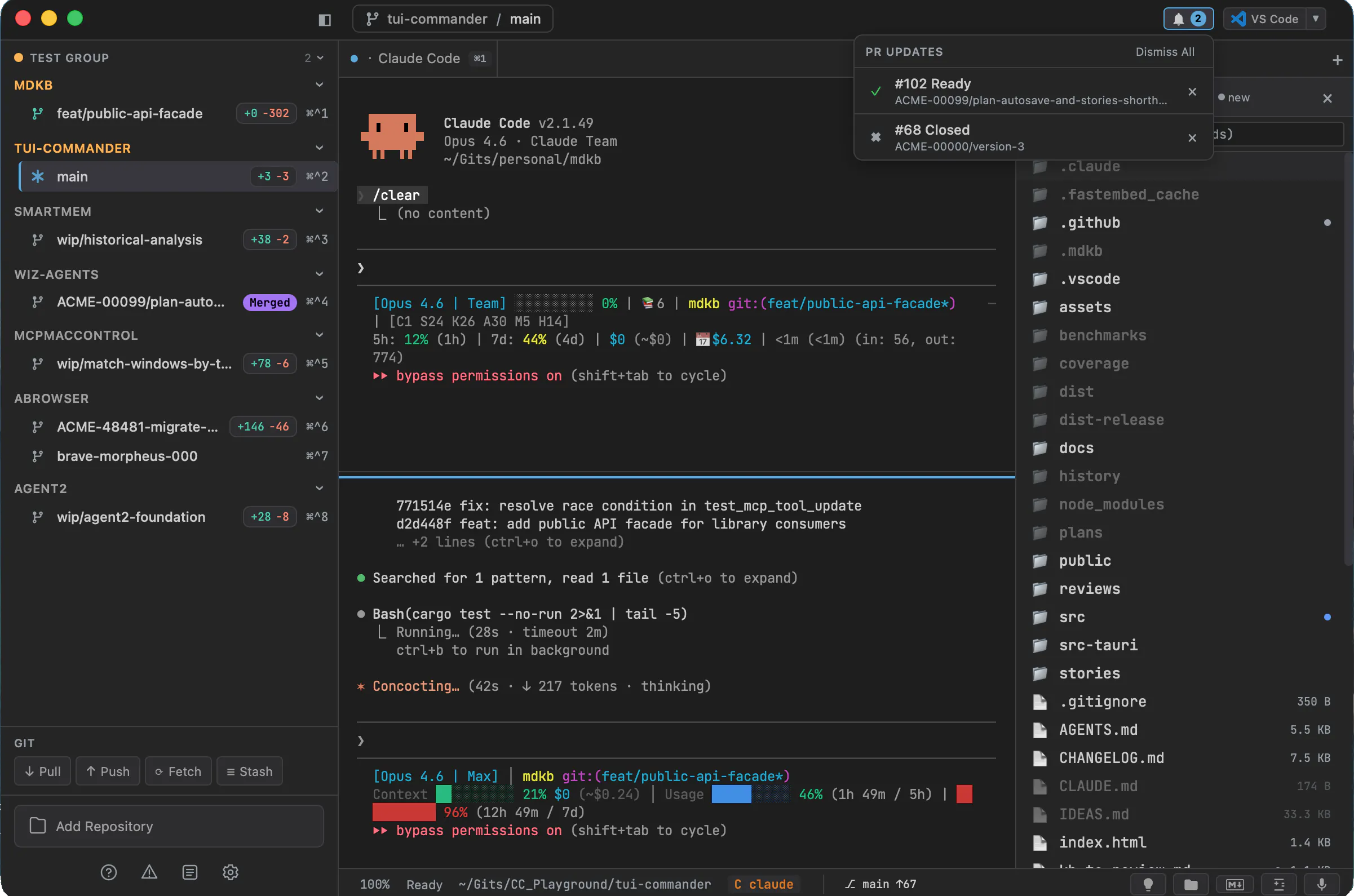
I’ve been using TUICommander for a few weeks and, to be direct, it has made my day-to-day work much simpler. Working with multiple projects and branches at the same time makes it easy to lose context. Here, everything is in one place: well-organized worktrees (with colors and groups), a clear view of what you are doing, and quick access to modified code and .md files. It also includes useful features like writing down ideas to execute later, so you don’t lose that inspiration. It’s a tool I clearly recommend. Thanks for sharing it.
-
Joaquin Wisozk 7 months ago
@stefano_straus one thing I didn’t mention before — and it’s actually a big deal for me — is the mobile workflow. Through our internal VPN I can access TUICommander and keep Claude Code / Codex sessions running, even from my phone. That completely changes how I use it. I usually do the planning and setup at my desk, spin up multiple agents… and then later (evening, couch mode 😄) I just supervise from mobile. Check status, answer questions, nudge things forward without reopening the laptop. It’s not just “multi-agent” — it’s asynchronous, distributed work on your own time. That’s where the real productivity boost kicks in.
-
Constantin Leuschke 7 months ago
This is the thing I didn't know I was waiting for! Running more than one coding agent in parallel today means juggling terminals, forgetting which branch is which, and missing a Y/n prompt that blocks progress for an hour. Solving that with per-branch worktrees + a unified view of what every agent is doing is exactly the right abstraction. Upvoted and congrats on shipping 👏
-
Kenneth Corwin 7 months ago
"Amazing launch, @stefanostraus ! Having seen the evolution of TUICommander at Lansweeper, I can vouch for the boost in productivity it provides. As a Quality Engineer, I love the Git worktree isolation—it’s essential for maintaining clean testing environments while running multiple AI agents. The attention to detail is top-notch. Upvoted! 🚀"
-
Monserrate VonRueden 7 months ago
I’ve been using TUICommander with both Claude Code and Codex, and honestly it solves a very real problem: keeping multiple AI coding sessions under control without losing context. The biggest value for me is being able to run parallel sessions, switch between branches/worktrees, and still have a clear view of what each agent is doing. Once you start using Claude Code and Codex together, a normal terminal setup quickly becomes messy. TUICommander makes that workflow feel organized instead of chaotic. Great tool, especially if you are seriously using AI agents for development rather than just trying them casually.
-
Kay Balistreri 7 months ago
I started using TUICommander weeks ago and it has been a game changer. Tired of losing track of what I was working on across so many tabs in the terminal, drowning in the branch and project mess, I started using other tools like suppacode to help me improve my performance. Even if it helped, they were missing something. TUICommander hit the spot. I can have everything I need in a single tool. Github? Check. VS Code? Check. Terminals? Check. Proper management of projects, branches and worktrees? Check. What made it shine even more, were the extra tools it offered me. Markdown lists so I can have quick access to my plans or .md files. The ideas feature allowing me to queue thousands of thoughts while AI is working on my latest prompt. When you start using it, it's great. When you start using every tool it offers you, it's amazing.