

About UI Verify
Reviews 15
-
Wiley Lubowitz 5 days ago
Congrats on the launch, @igor_luchenkov Supporting Playwright, Storybook, Vitest, Bun and mobile is a wide surface, and each of those moves quickly. How do you keep the setup docs current when one of them ships a breaking change?
-
Mckenzie Mosciski 6 days ago
Congrats on the launch!! We ship the same components in KO and EN, and the english strings run longer. a button thats fine in korean overflows in english, nothing in the code chaged. When a translation file changes does the graph know which screens to snapshot?
-
Randi Prohaska 6 days ago
Igor I have found https://uiverify.ai very helpful and missing tool on the market. While I understand how to use it with Storybook and web in general, could you please share if there SDK to support mobile apps or do you emulate devices to check renders?
-
Al Wolf 6 days ago
the other screens a change touches is the real gap. I edit one shared widget in our flutter app and honestly have no idea which of the 60 or so screens moved. does the iOS side work with flutter builds, or is it native only for now?
-
Ayden Miller 6 days ago
Super promising! Looking forward to seeing how this evolves. I know from my own experience and I can count a long list of moments when I wished I had something like this to automate it. It's never fun. Most of the time, those tiny little details are almost impossible to notice. Excited to try this on a bigger scale!
-
Michel Heathcote 6 days ago
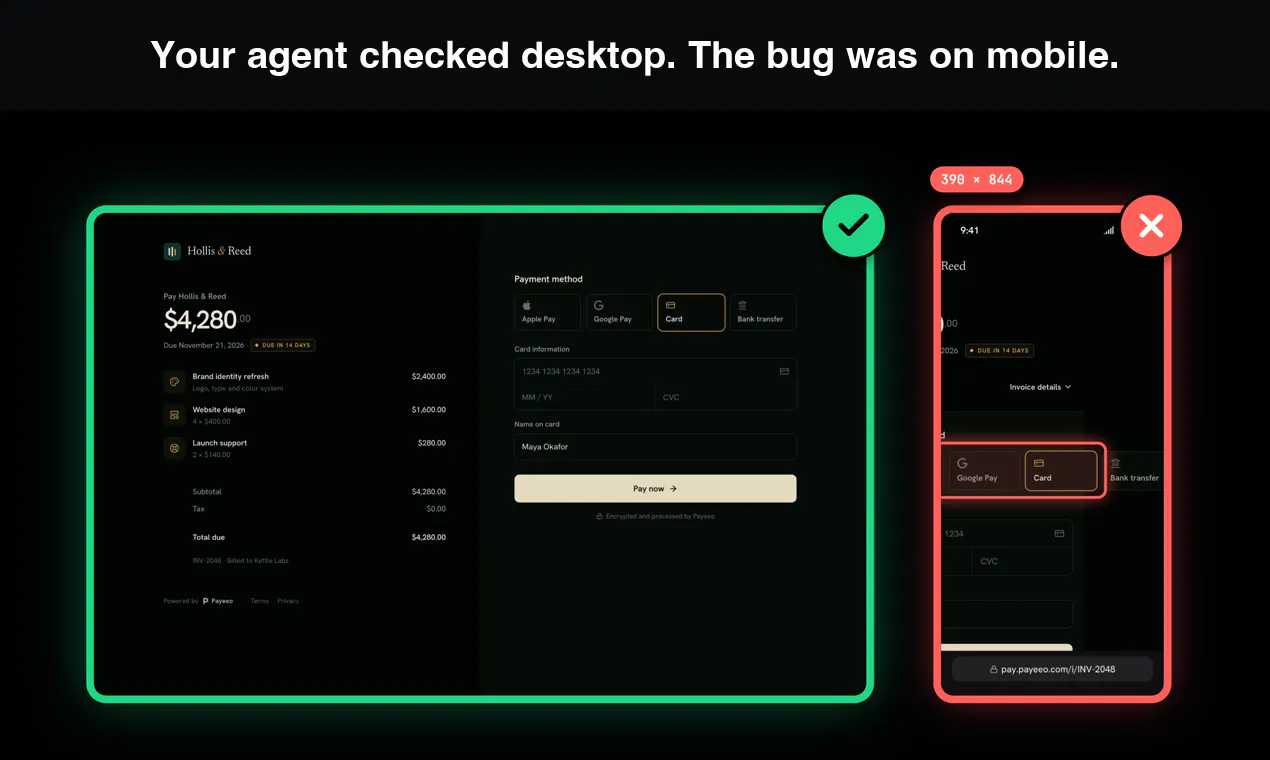
The desktop-passes-but-mobile-breaks example hits home, that's exactly the kind of bug agents love to ship. Curious how you decide which screens count as "touched" by a change. Is it based on the import graph, or do you just snapshot everything and diff?
-
Gaylord Buckridge 6 days ago
The before/after loop is what sells this to me. My agents are confident about code and completely blind to what they just broke visually — right now my workflow is me screenshotting things back into the chat, which defeats the point. The baseline question is the one I'd watch though: half my UI diffs are intentional, so if the agent has to ask me about every one, the loop breaks. In practice, is the sweet spot the agent fixing the clear regressions itself and flagging the judgment calls for a human?
-
Michel Heathcote 6 days ago
This looks super useful and UI testing is still one of the most manual tasks we have for our app. Going to investigate this and see if we can use it! Congrats on your launch!
-
Gaylord Buckridge 1 week ago
how long does a full run take on a big storybook?
-
Jarrell Homenick 1 week ago
Looks helpful - really elegant solution for a problem most teams will face.
-
Enrico Wiza 1 week ago
does it catch when the screen looks fine but the flow is wrong, like a button that goes to the wrong step? that bites us more than pixels
-
Monserrate VonRueden 1 week ago
Congrats @igor_luchenkov! Agents are fast at UI changes and bad at noticing what else they broke. UI Verify shows the agent every screen its change touched, and it cleans up its own mess before the PR reaches me. I spend less time in review chasing visual bugs and more time on the actual change. Super helpful for anyone letting agents ship UI.
-
Nikunj 1 week ago
Congrats Igor 🌟💪 We started using it recently, and it's been super helpful We built a software factory with agents and it's a must-have part of the factory that makes me sleep well, knowing no bugs are shipped when many agents run every day. The integration with UI Verify took less than 30 minutes, it's crazy! It's also one of the few products that I genuinely enjoy using! I really appreciate it's design and UX Looking forward to trying new features 🌈
-
Jarrell Homenick 1 week ago
Congrats! Tried it on beta and very like it. UI validation in agentic-engineering age is very important and toolchain to fix it is a must have. Good luck with launch and growth!
-
Elias Rowe 1 week ago
Congrats on the launch @igor_luchenkov ! 🎉 Speaking as a product designer: now that we're shipping more code ourselves and touching things all over the product, the last thing I want is to tweak a component on one screen and quietly break three others. UI Verify catches those visual regressions before they ever reach customers, so the quality of your product stays top shelf. The UI is intuitive and straightforward, and being able to just ask an agent to fix what it found is so handy. For product teams shipping often. This is a must have.