

ChatGPT favorites
⭐ Save your favorite ChatGPT answers with one click
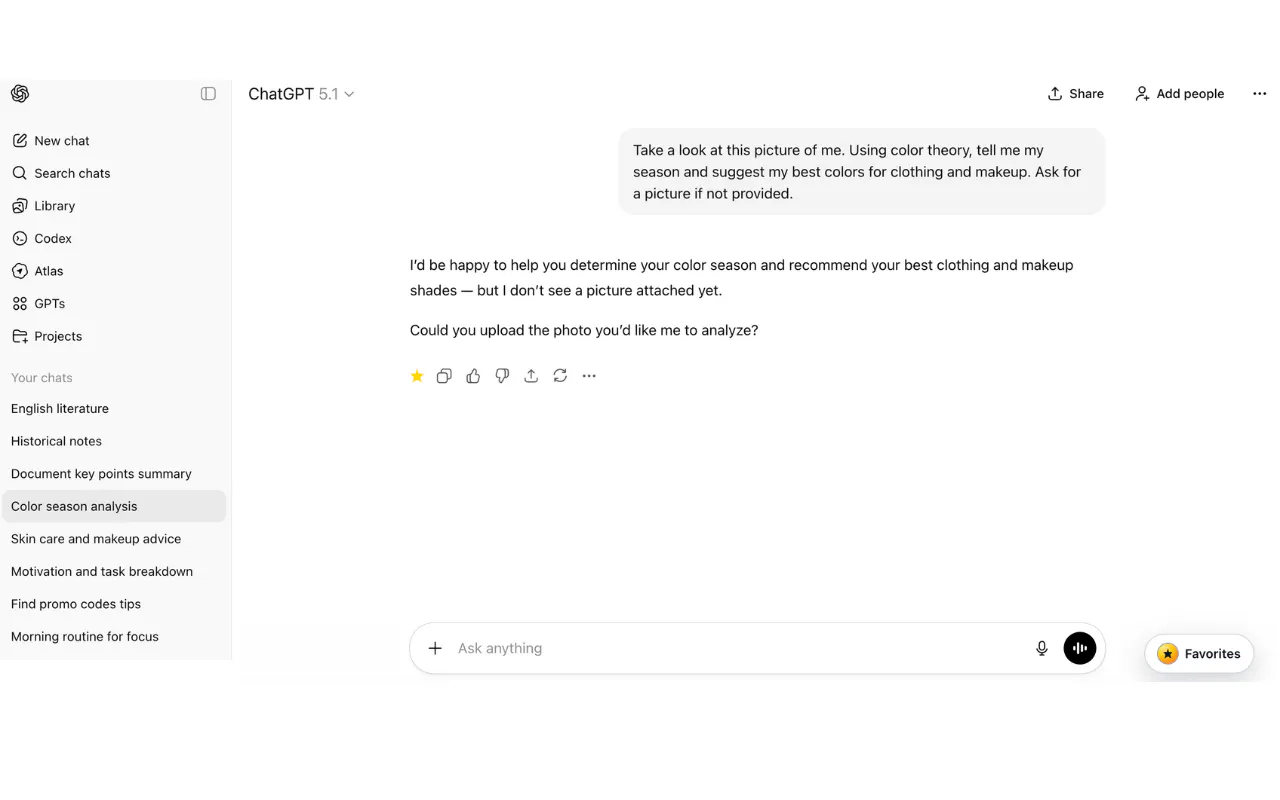
About ChatGPT favorites
Reviews 6
-
Ruben McClure 11 months ago
The more products I build, the more I realize that a good interface is the one you barely notice. The best solutions don’t try to look smart. They simply remove unnecessary actions. Not more buttons for the sake of buttons, but one less click, one less search, one less moment of frustration. Sidebars, small extensions, and built-in tools win for exactly this reason: they don’t force users to change habits they quietly help inside an interface people already know.
-
Floyd Botsford 11 months ago
Many people underestimate browser extensions, especially “small” things like sidebars. But the sidebar is actually one of the most underrated interface patterns. Why? Because it: 1) doesn’t interrupt the main workflow; 2) is always nearby without getting in the way; 3) turns any website into a more powerful tool; 4) adds context where none existed before. A good sidebar doesn’t replace the product it enhances it. It quietly complements the interface without forcing users to change their habits. That’s why sidebar-based extensions work so well: they require no learning curve, don’t break UX, and start saving time from day one.
-
Wiley Lubowitz 11 months ago
One of the strangest things about ChatGPT is how difficult it is to work with its conversation history. We can chat for hours, but the interface remains static: no search through replies, no bookmarks, no proper navigation. It still feels like a messenger from the 2010s, even though the technology behind it is from the 2030s. This paradox is exactly why I created ChatGPT Favorites. The model is incredibly smart but the interface hasn’t caught up with the capabilities of AI. Now things are much easier: = you can jump back to the exact fragment of the conversation you need; = you can collect your own set of best prompts and instructions; = you no longer have to worry about losing an important thought in a sea of messages.
-
Jedidiah Farrell 11 months ago
An interesting pattern I’ve noticed: the more we use ChatGPT, the more it stops being “just a chatbot” and starts becoming a real workspace. And if it’s a workspace, it needs one essential thing instant access to important materials. I built ChatGPT Favorites as a productivity tool for exactly this reason. It saves time in all the places where we usually lose it: - when searching for “that one answer” buried in a long conversation - when returning to an idea or code snippet days or weeks later - when collecting multiple insights into one structured place - when working on a project where prompts and replies stack up quickly Now everything important can be saved with one click and, more importantly, found with one click. It’s a small extension, but it genuinely changes how ChatGPT feels: from a chaotic scrollable feed into a more organized, efficient workspace.
-
Charley Swift 11 months ago
“Why I Built It (Short Version)” I’ve always felt that ChatGPT is amazing at generating answers… but terrible at letting you keep the good ones. So I built “ChatGPT Favorites” — a tiny extension that finally solves that one missing feature: ⭐ Save any message with a single click. Organize everything in a clean sidebar. Search your personal AI knowledge base instantly. No accounts. No cloud. Everything stays on your device.
-
Former member 1 year ago
Major Update! ChatGPT Favorites Just Became Much More Powerful Today I’m releasing the biggest update of ChatGPT Favorites — it’s no longer just a “save reply” button, but a full productivity tool built directly inside ChatGPT. What’s new • A floating Favorites button that always stays on screen and adapts to window size • A full sidebar, designed to feel native to the ChatGPT interface • Search, preview mode, full-text expanding, and one-click navigation to the original message • One-click copy, download, and delete actions • Automatic light/dark theme detection based on ChatGPT’s theme • Export all saved replies to a clean text file • Deep chat navigation (auto-scroll directly to the saved message) Why it matters If you frequently save: • prompts, • instructions, • pieces of code, • ready-made answers, • mini-guides, then ChatGPT Favorites turns ChatGPT into your personal knowledge base — always accessible exactly where you work. No switching between tabs. No external notes. Everything is stored, organized, and searchable right inside ChatGPT.