

About FindDiskKiller
Reviews 10
-
Kyleigh Luettgen 3 months ago
honestly this looks really useful for tracking down which agents are chewing through SSDs. one thing that would make it even better is per-app historical graphs, like being able to see disk writes over the last 24 hours or week for a specific process, so you can spot patterns and figure out which tool is slowly eating your drive over time.
-
Carter Volkman 3 months ago
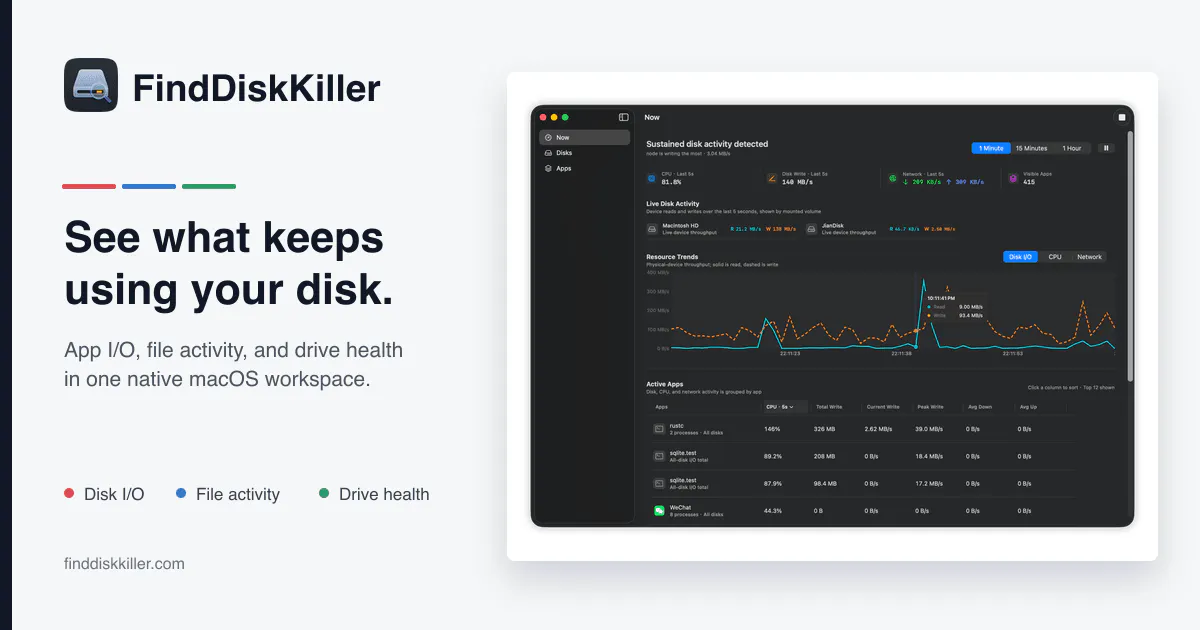
Finally something that shows which AI agent is hammering my SSD during long refactors. The per-process I/O view is genuinely useful and it runs light in the background.
-
Merl Orn 3 months ago
Finally something that shows which of my AI coding agents is hammering the SSD without permission. The live file access view is genuinely useful for catching rogue processes I didn't even know were running.
-
Hobart Glover 3 months ago
honesty about the current overhead being more than you'd like is appreciated, most launches would just dodge that question. hoping the leaner version ships soon, would love to leave it running all day without a second thought
-
Odell Bode 3 months ago
They’ve made AI coding agents completely opaque about on-disk activity. You see either the fan spinning, an out of space warning, or a build taking ages, but you can't actually see it doing anything. I like that this tool is focused strictly on attribution and does not aspire to be another ubiquitous system monitoring tool. The fact that this is open source is also kind of important - if you actually found AI-driven processes that are eating up gigabytes, you’d want to know what precisely that process is looking at.
-
Halle Wilkinson 3 months ago
the AI agent angle is a good hook, Cursor and Claude Code do churn through disk more than people expect. question about the monitor itself - with live file access inspection running, does FindDiskKiller add noticeable CPU or battery overhead if you just leave it open in the background all day, or is it light enough that it's not a tradeoff. would hate to fix one problem and quietly cause a smaller version of the same one.
-
Neal Jacobson 3 months ago
The live file access view is especially useful for debugging unexpected churn from AI coding agents. Does it group activity by workspace or project, so I can separate normal build and cache writes from a runaway process touching unrelated files?
-
Eino Klein 3 months ago
the AI coding agent angle is what sold me, Cursor and Claude Code do generate way more disk churn than people realize until they actually look. one thing I'm curious about beyond the live view - does it keep any history so you can look back after the fact? like if my Mac was crawling 20 minutes ago but I only notice now, is there a timeline to check what was hammering the disk at that point, or is it strictly a right-now view
-
Monserrate VonRueden 3 months ago
Congrats on the launch. Loving the focus on AI agents since Cursor constantly clogs up my disk. Will definitely give it a try. Do you plan to add automated alerts for unusual disk writes?
-
Enrico Wiza 3 months ago
This is extremely helpful. Lately, I had to restart my Mac many times. I am suspicious about one particular app that is responsible for that, let's see whether I am right. Good solution for that :) Is it accur8?