

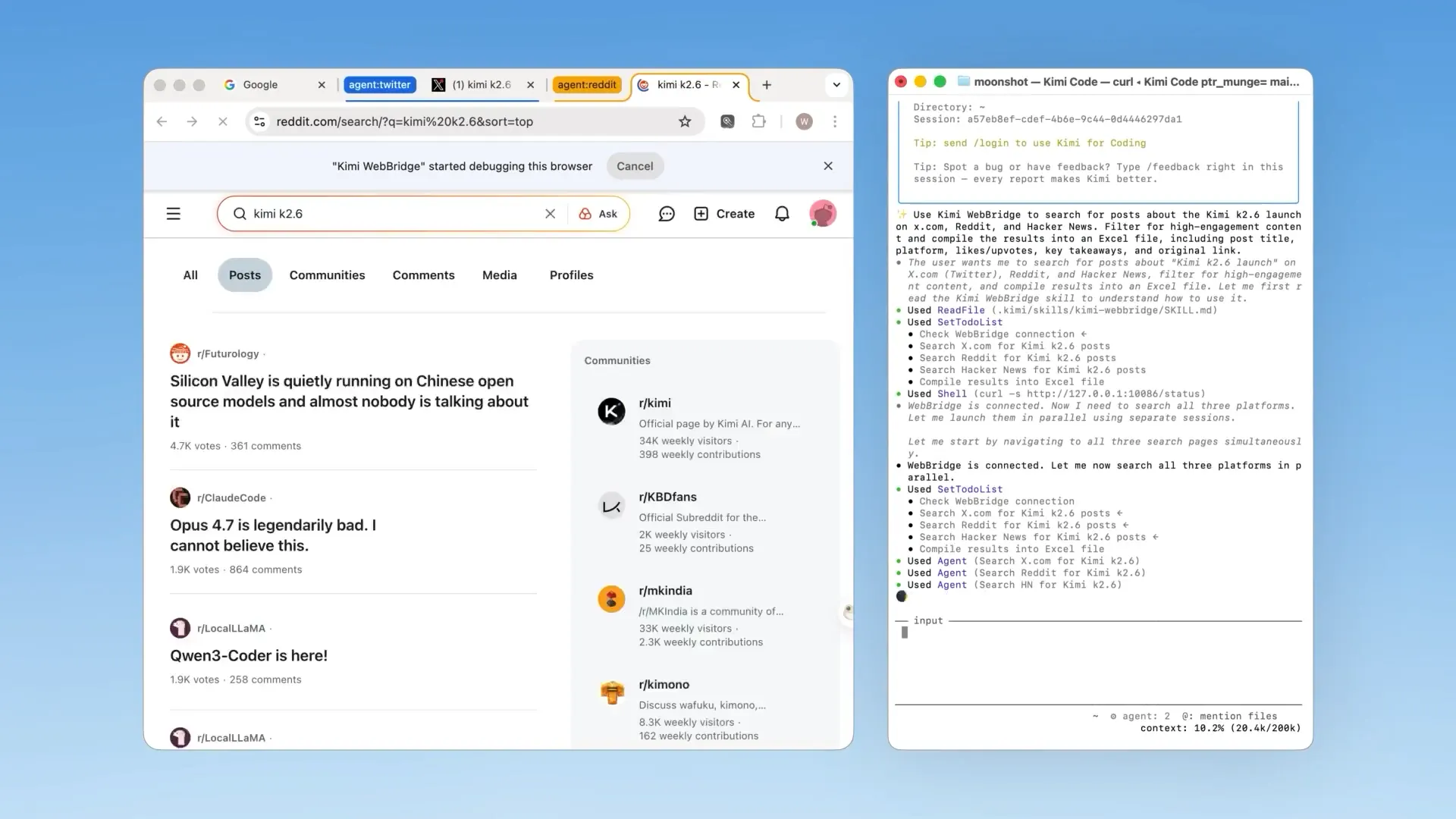
About Kimi WebBridge
Reviews 10
-
Garnet Stokes 6 months ago
Congrautions! I want to know whether it can used for other llm, or just kimi? And, it seems like I can let the kimi llm to access the latest knowledge via browser, right?
-
Rylan Hyatt 6 months ago
Oh this works on Reddit?
-
Franz Bauch 6 months ago
Multi-file analysis is the feature I'd actually open this for. Half my week is reading through ten PDFs from a customer to figure out what they're really asking for.
-
Felipe Sanford 6 months ago
I know how tough interacting with a live browser can be as I've been frequently using Python and Selenium recently. Giving terminal agents a clean way to bridge that gap is a massive step up. I'm really curious how the extension actually passes the page data back to the LLM... does it clean everything up into structured JSON or a lightweight DOM snippet first, or is it just dumping raw HTML? How do you manage the token count?
-
Neal Jacobson 6 months ago
The local first approach for browser control is a smart move for security. I have stayed away from most browser agents because I don't want to hand over my session cookies to a third-party server. How do you handle sites that are heavy on shadow DOM or complex anti-bot triggers?
-
Gaylord Buckridge 6 months ago
Giving terminal agents a clean way to interact with a real browser is a huge help. I'm really curious how the extension actually passes the page data to the LLM. Does it clean everything up into structured JSON or a lightweight DOM snippet first, or is it just dumping the raw HTML? Managing the token count while keeping the page context is always the trickiest part of building web agents.
-
Rahul Goyette 6 months ago
How do you handle sensitive actions like form submissions, is there a confirmation step before it clicks buy or send?
-
Eino Klein 6 months ago
I dogfood Kimi WebBridge and honestly, I use it every single day! Just install the extension, link it to your agent, and it will surf Chrome/Edge for you — filling forms, grabbing info, clicking around… basically handling all the boring stuff. It works with Claude Code, Codex, Kimi CLI, Cursor, Hermes, OpenClaw.
-
Hugh Borer 6 months ago
How do you handle user data privacy when bridging AI agents to the live web? Especially for users on sites with sensitive content (banking, health portals)?
-
Uriah Mayer 6 months ago
Connecting agents to the 'live web' is still a major hurdle. Does the bridge provide a structured data output (JSON) for the agent, or does it just pass raw HTML?