

About LayerProof Vellum
Reviews 10
-
Elias Rowe 5 months ago
Congrats team! I've been looking for a tool to standardise our ad creatives across different client accounts. If I build a complex node tree for a specific campaign, can I save that entire canvas architecture as a custom template for my team to reuse next month? Also, how are credit limits handled for heavier generation workflows?
-
Lamont Strosin 5 months ago
Such a smart way to bridge the gap between ideation and production! Since Vellum seems heavily geared towards ideation, is there any kind of version history on the canvas? If a teammate accidentally tweaks a core node and changes the downstream assets, can we easily roll it back?
-
Toni Kutch 5 months ago
The Make.com integration caught my eye. Most visual tools are standalone so you have to break your workflow to use them. Building it so visuals just come out the end of an automation you already have running is a much cleaner approach. Rooting for this one.
-
Roy Kris 5 months ago
Congrats on adding Vellum to the suite! Lgtm, with Kraft handling the writing and Chromo doing presentations, how seamlessly does Vellum integrate? Can I pull a slide I made in Chromo directly onto the Vellum canvas to edit its visual assets?
-
Trenton Spencer 5 months ago
Controlling AI generations instead of guessing is the dream right now. What base image models are powering the generations under the hood?
-
Joaquin Wisozk 5 months ago
This looks amazing for massive campaigns, but I can see it getting complex fast. How do you handle organization when a canvas gets huge? Are there groups, folders, or 'sub-canvases' to keep things clean?
-
Ruben McClure 5 months ago
The drag-and-drop visual canvas looks really impressive. Since it’s designed for teams, how does collaboration work and can multiple designers edit the same canvas in real time?
-
Hobart Glover 5 months ago
The node tree structure is brilliant. Is there a way to 'lock' a subject node so that no matter how much the background or effect nodes recalculate, the core product image remains 100% unaltered?
-
Daren Bruen 5 months ago
Hey Product Hunt, Jordyn here 🙋♀️ When I joined Layerproof, I asked our team one question: why does turning a campaign idea into a finished visual asset mean hopping between a word processor, a design tool and a slide maker? That question became my guiding light for Vellum. We need a unified canvas for ideas and visuals to actually live together. The versatility is the coolest part. One day, I'm drafting sharp social copy. The next, I'm generating stunning, visually rich one-pagers and slide decks for the team. Seriously, it felt like a breath of fresh air. We actually used Vellum to build our entire internal go-to-market deck for this PH launch 😬 From the first spark of an idea to polished slides, all in about 10 mins, wild! Here's a fun challenge if you want to give it a whirl: Pick a feature you're launching soon. Add your brand guidelines as one node, and some initial thoughts as another. Then ask Vellum to create both the text announcement and a visual for LinkedIn. I;m genuinely curios to see how the visual output aligns with your brand vision. Let me know what you think!
-
Mortimer Powlowski 5 months ago
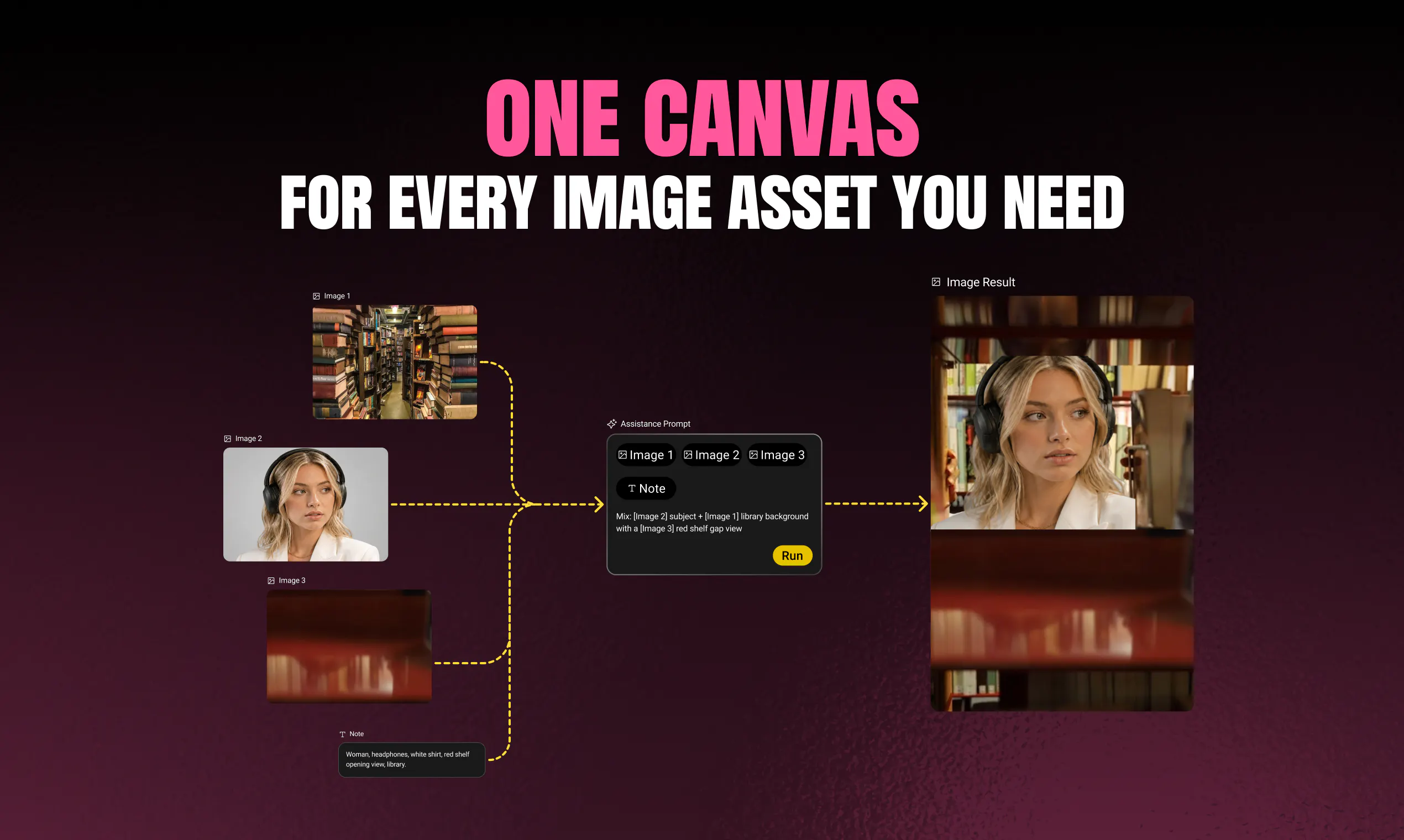
As a designer, I don't just want a pretty image. I want control. One of my biggest frustrations with AI design tools has always been consistency. You write a prompt, hit generate, and hope the result matches your brand. Sometimes it does. Most of the time, it takes multiple attempts to get there. What I really wanted was a workspace where the human stays in the driver's seat. The AI should act like a designer on the team, helping execute the vision rather than making creative decisions for me. That's one of the reasons I designed LayerProof Vellum. With Vellum, I can define clear style directions and keep them consistent across every asset. If I tell it our brand uses a "matte finish, warm orange aesthetic, and minimalist typography," it follows those rules. The goal isn't just generating images. It's helping teams maintain a cohesive visual system from the first asset to the hundredth. Recently, I was testing how well Vellum understands design intent. I uploaded three completely different references: a 1970s magazine advertisement, a modern 3D render, and a rough sketch. Then I gave it a prompt: "Create a modern website hero section using the texture and visual character of the 1970s advertisement, while following the composition and layout structure of the sketch." What impressed me wasn't that it blended the references together. It was that it understood what I was actually trying to achieve. It captured the intent behind each reference and translated that into a coherent design direction on the first generation. Now it's your turn. Drop in a design, product image, or a few references. Set a style rule like "warm Scandinavian interior photography with natural wood textures, soft daylight, and neutral tones," "playful children's book illustration with hand-drawn shapes, bright colors, and simple character expressions," or "minimalist tech startup branding with clean layouts, subtle gradients, and modern sans-serif typography." Let's see how accurately Vellum transforms your image while preserving the core structure and intent of the original design!